Virtual Private Cloud (VPC)
Product Overview
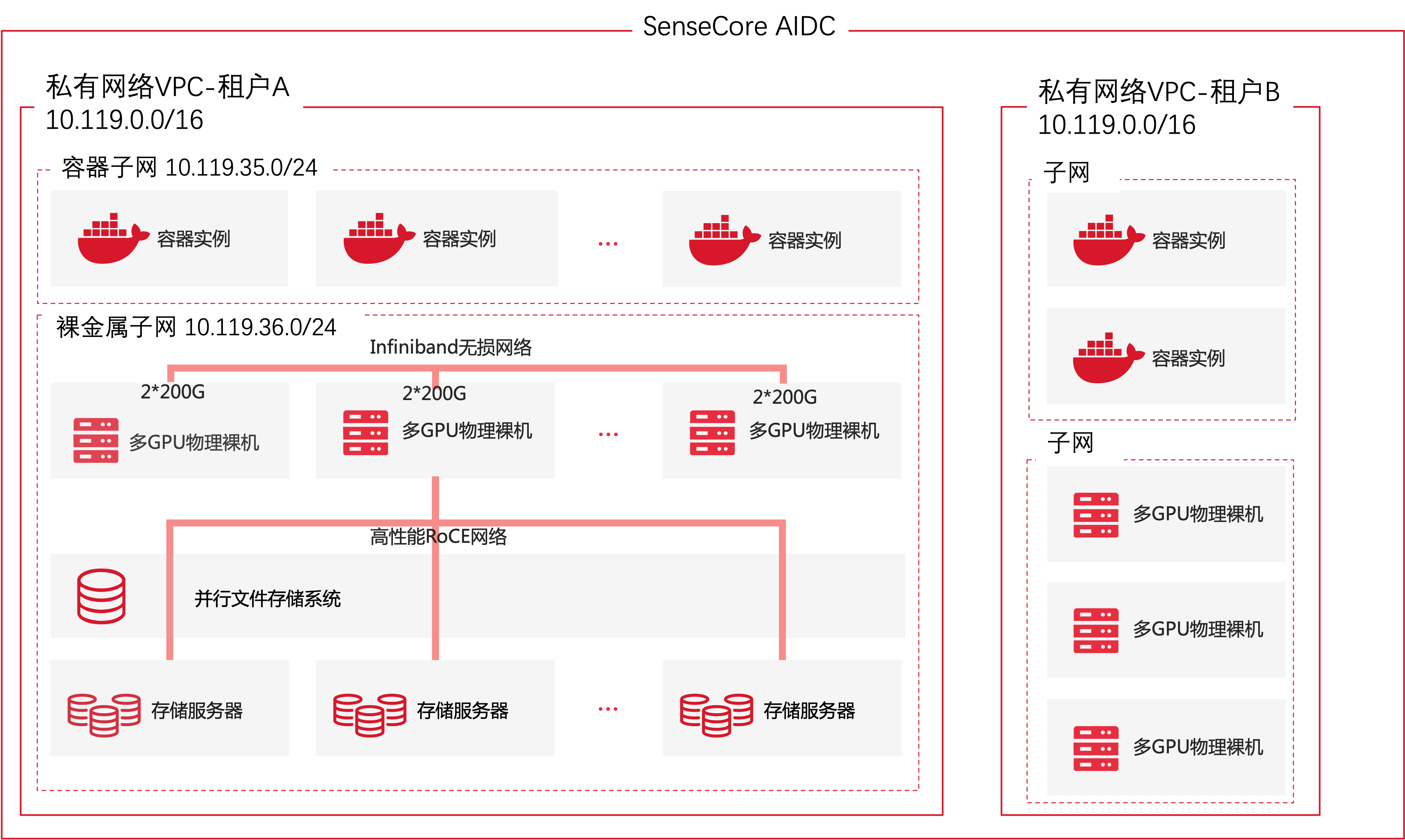
The Virtual Private Cloud (VPC) is an isolated private network space on the cloud. SenseTime's VPC provides a standard VPC network and supports high-speed RDMA networks for AI scenarios. Based on the high-performance VPC network and combined with AI computing power, a private supercomputing center can be quickly built on the cloud.
Application Scenarios
- For the building of a private network space on the cloud, a VPC can provide a completely isolated network environment from other tenants/VPCs, with independent IP address planning.
- It can help easily build large-bandwidth and high-IO networks based on- technologies, to support large-scale model training and other scenarios.
Product Superiority
- Isolated private network space on the cloud, with different VPCs isolated from each other and no mutual interference between tenants;
- Dedicated network for high-performance training, easy to support multi-node and multi-GPU distributed training network requirements;
- Independent storage network, supporting high-IO and low-latency data read/write requests through the Direct Link technology.
About Billing
Virtual Private Cloud (VPC) is free of charge currently.
Operation Guide
After a tenant opens an account, the first initial private network VPC (network segment: 10.119.0.0/16) will be automatically created to provide the initial network environment, when the cloud instances such as Bare Metal Server (BMS), AI Compute Pool (ACP) and Cloud Container Instance (CCI) are created, and the private network VPC to be used will be specified.
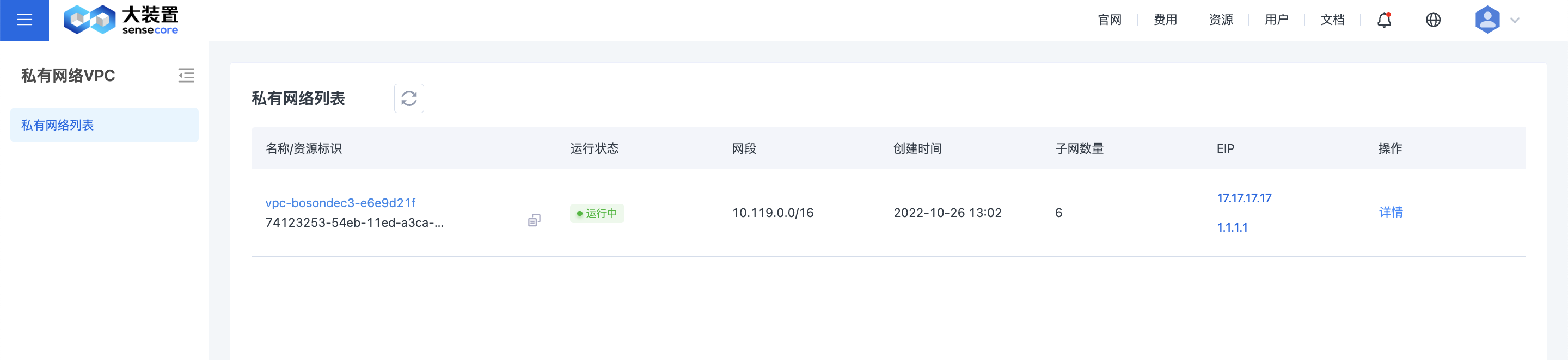
The VPC List page provides an overview of VPC:
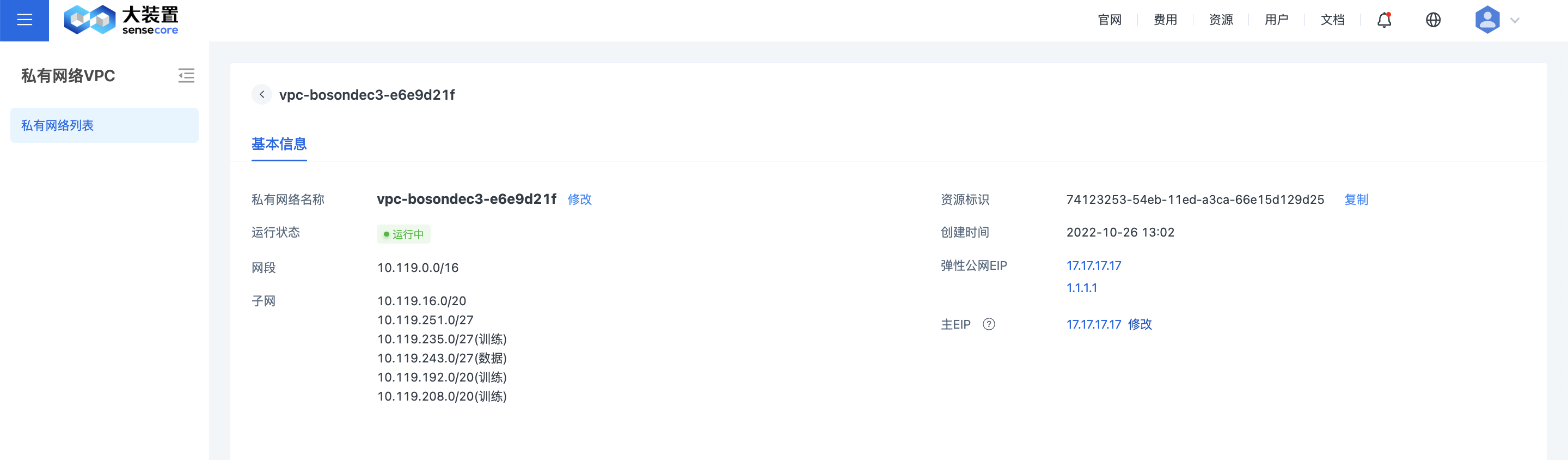
Users can view and edit basic information on the VPC Details page:
Master EIP: When multiple EIPs are bound to a VPC, the master EIP will be used as the source address when instances in the VPC actively access the Internet.
Internet interoperability:
- The addresses assigned to the instances in the VPC are private network addresses in the VPC. If the EIP column on the VPC List page is displayed as “unbound”, it indicates that the Internet gateway of the current VPC is not configured with an Elastic IP (EIP). At this time, the Internet is not allowed to actively access the instances in the VPC, but the instances in the private network VPC can access the Internet without a bandwidth guarantee, and they are mainly used to host a small number of management services such as DNS resolution.
- For instances in the private network VPC, if you need to access the Internet or publish services to the Internet in a stable manner, click “Unbound” to create an Elastic IP and bind it to the EIP column on the private network VPC list, when a specific EIP instance is displayed, the instances in the private network VPC can access the Internet with the stable bandwidth of the EIP, and if you need to publish services to the Internet, this needs to be achieved through the configuring of an Elastic IP (EIP). See the Elastic IP Help Documentation for details.