AI Object Storage Service (AOSS)
Product Overview
AI Object Storage Service (AOSS) is a massive, highly reliable, and low-cost distributed cloud storage service provided by SenseCore for AI companies and developers. It optimizes specific performance for AI scenarios and meets the users’ low-cost requirement for massive data collection, annotation, and cold storage in the AI production process. The users can use AOSS to process and access massive image, audio, and video data conveniently and quickly.
Product Superiority
- Stability and reliability
- Fully redundant architecture design, providing more reliable protection for persistent data storage
- Security and compliance
- Sound access control and encryption functions, meeting enterprise’ data security and compliance requirements
- Intelligent storage
- Provide data lifecycle management to meet enterprises’ data management requirements
Product Features
- Compatibility with AWS S3
- Compatible with AWS S3, realizing that applications developed based on AWS S3 can access AOSS without the need of secondary development.
- Various writing APIs
- Provide various writing APIs for different writing requirements in AI scenarios: simple upload, breakpoint resume, append upload, etc.
- Multiple modes of operation
- Enable users to manage storages through the console, API, or SDK.
- Data security
- Provide sound access management and support server-side encryption to protect data security in all aspects.
- On-demand switching of storage types
- Provide different storage types, which can be switched on demand to reduce storage costs.
- Small file read/write optimization
- Optimize the performance of reading and writing massive small files and support the function of merging small files.
Product Type
- Standard storage
- Provide the object storage service with high reliability, high availability, and high-performance, and support frequent data access. Apply to business scenarios such as AI data collection, annotation, and big data analysis.
- Archive storage
- Provide the object storage service with high persistence and very low storage costs. Have requirements of minimum storage time (60 days) and minimum measurement unit (64 KB). The archive storage falls into the cold data type, so that data retrieval requires recovery (thawing) in advance, and data recovery needs to be done before reading data (applicable to business scenario related to long-term data storage).
Application Scenarios
- AI data storage and management
Support different storage types, hot and cold data stratification, and storage services that meet different AI needs
- Provide storage tiering capabilities to reduce storage costs
- Optimize the performance of reading and writing massive small files
- Optimize the performance of reading and writing super-large files
- AI data disaster recovery and backup
Provide local redundancy and intra-city redundancy capabilities to avoid storage losses caused by irreversible disasters
- Ensure data availability and durability
- Create asynchronous replication of data across regions by cross-region replication
About Billing
- Billing mode
Billing of resource packages: A resource package is a fixed package consisting of a single or multiple measurement items. It is sold in the unit of measurement on an annual/monthly subscription basis, and the payment shall be completed at one time. The subscription will take effect immediately after payment.
| Measurement item | Measurement mode | Billing mode |
|---|---|---|
| Standard storage capacity | Capacity specification and subscription duration | Annual/monthly subscription, one-time payment at the time of purchase (with the capacity measured in GB/TB/PB, and the subscription duration measured in months/years) |
| Archive storage capacity | Capacity specification and subscription duration | Annual/monthly subscription, one-time payment at the time of purchase (with the capacity measured in GB/TB/PB, and the subscription duration measured in months/years) |
| Traffic package (Internet downlink) | Capacity specification and subscription duration | Annual/monthly subscription, one-time payment at the time of purchase (with the capacity measured in GB/TB/PB, and the subscription duration measured in months/years) |
| Request package | Capacity specification and subscription duration | Annual/monthly subscription, one-time payment at the time of purchase (with the capacity measured in 10,000 times, and the subscription duration measured in months/years) |
Pay-per-use: Resources are settled according to the actual consumption, and bills are generated in each settlement cycle and corresponding expenses are charged in the account. It is recommended to purchase a resource package, since the package is more cost-effective than that in the pay-per-use mode.
| Measurement item | Measurement mode | Billing mode |
|---|---|---|
| Standard storage capacity | Actual consumption | Settlement based on the actual consumption once the service is activated |
| Archive storage capacity | Actual consumption | Settlement based on the actual consumption once the service is activated |
- Purchase mode
| Purchase mode | Resource package (prepaid) supporting annual/monthly subscription and pay-as-you-go | Remarks |
|---|---|---|
| Resource package of standard storage type | Standard capacity package + request package + traffic package | Purchase the 3 resource packages simultaneously |
| Resource package of archive storage type | Archive capacity package + request package + traffic package | Purchase the 3 resource packages simultaneously |
| Pay per use | It is not necessary to purchase a resource package This billing mode is divided into billing by standard storage capacity, by archive storage capacity, by traffic, and by request Billing based on the actual consumption | Settlement based on the actual consumption once the service is activated |
- Rules of use
- The annual/monthly subscription of storage capacity resource package will take effect immediately after payment, and then the users can use the object storage function.
- The capacity configured at the time of purchase is the total maximum storage capacity. If the capacity is exceeded, please expand it, otherwise you cannot perform write actions.
- The deduction is carried out every day, the average storage capacity of the day is deducted, and the deduction amount will be reset every day.
- If there is still some consumption beyond the credit after the resource package has expired or the credit has been fully deducted, the billing mode will be automatically converted to pay-per-use.
- The usage fee of the object storage in the billing mode of pay-per-use is settled once per hour.
- Expiration reminder
- For the annual /monthly subscription service, users are notified through in-site messaging 5 days, 3 days, and 1 day before the expiration.
- Reminder and processing after service expiration
- Upon expiration, the service enters the 24-hour grace period, during which the resources are read-only, and the user is notified through in-site messaging.
- After the 24-hour grace period, the service enters the 14-day retention period, during which the data is retained but cannot be read.
- If the user renews the service within 15 days of the expiration, the data will be restored to normal use; if the user does not renew the service within 15 days of the expiration, the data will be automatically destroyed 15 days after the expiration and cannot be restored.
- Resource package capacity expansion
When the remaining available resource in the storage resource package is insufficient, you can expand the capacity of the resource package. Expand the capacity through the following steps:
Enter the object storage console, click [Purchase Expansion Resource Package] in the upper right corner to enter the “Order” page; After selecting the required capacity, enter the “Order” page and pay for the expansion order; the capacity can be expanded after the payment is successfully made.
Quick Start
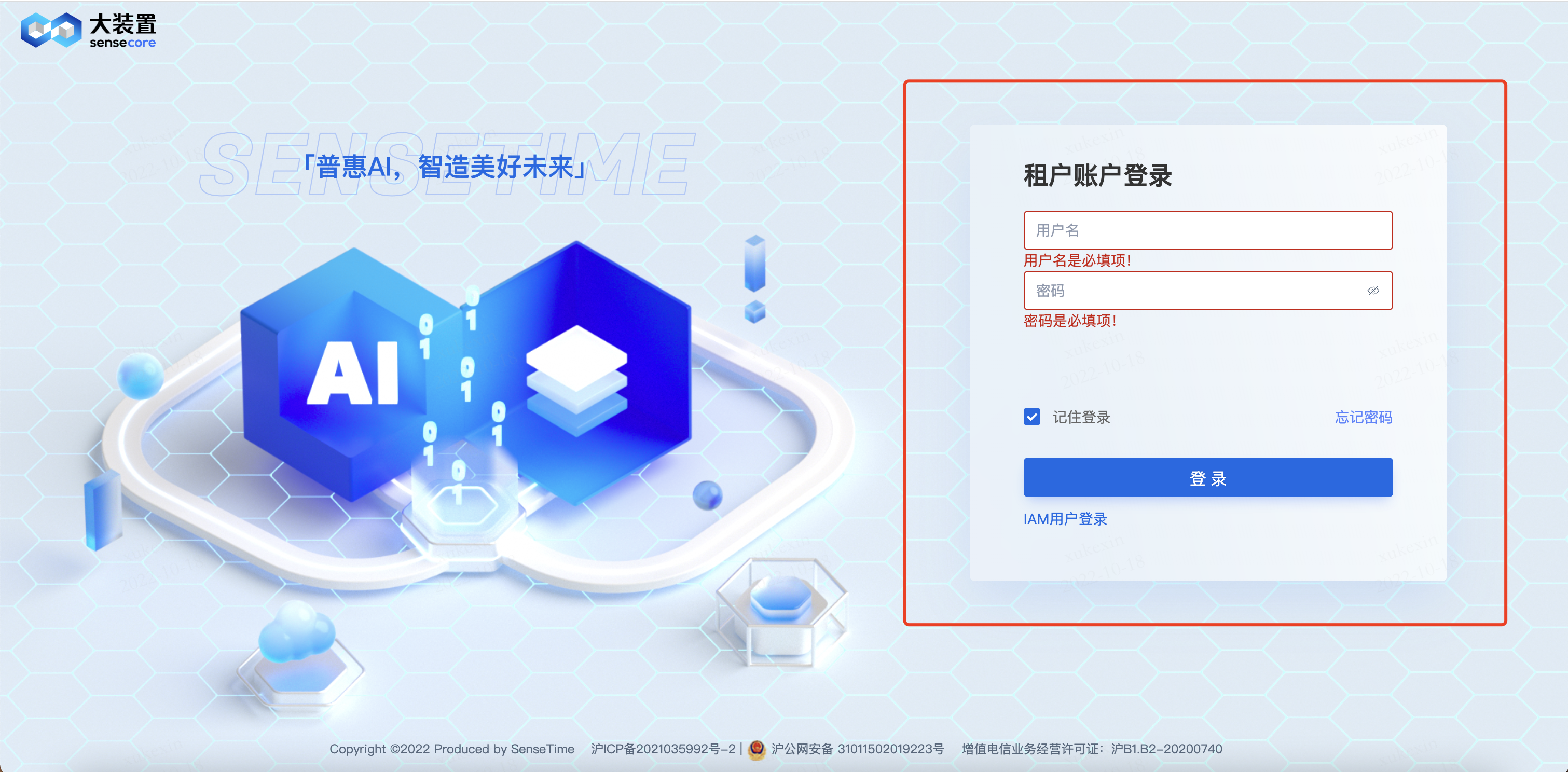
1. Log in to the SenseCore Console
Enter the account password to log in to the console
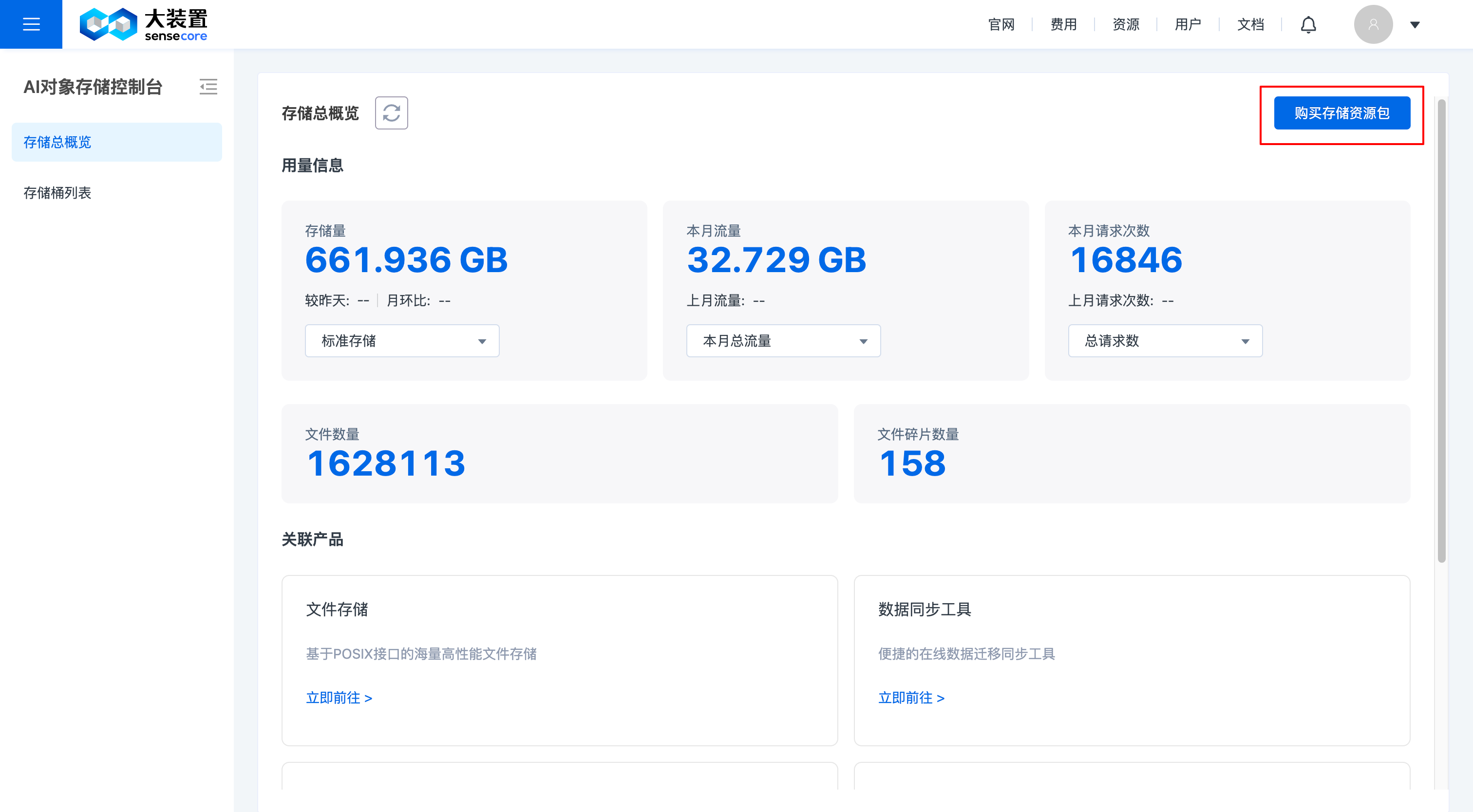
2. Purchase Object Storage Resources
Enter the Object Storage Console Overview page, and click [Purchase Storage Resource Package] in the upper right corner
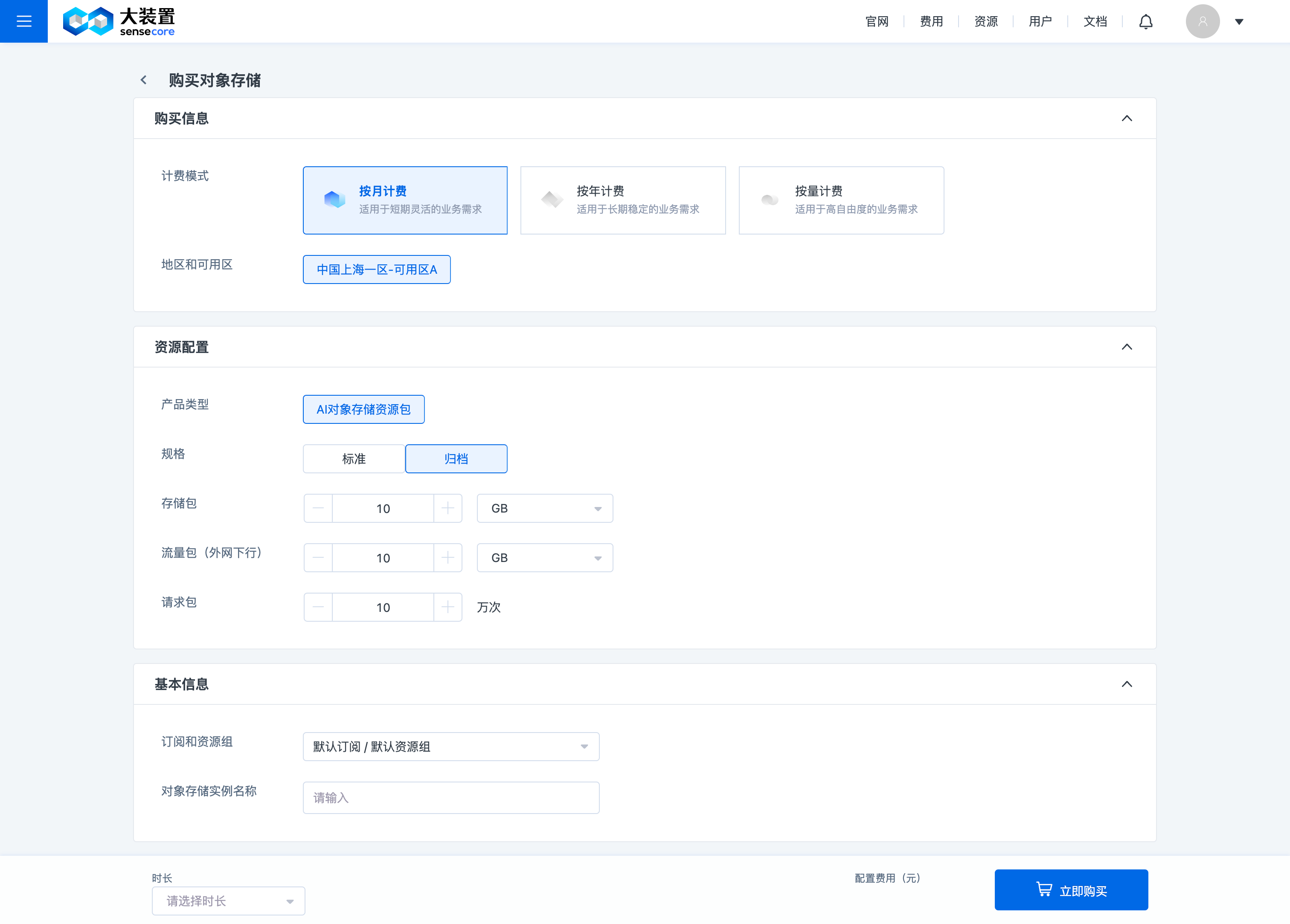
Select the required capacity and purchase resources.
Note:
When purchasing a standard or archive storage resource package, you need to purchase a request package and a traffic package (the process of using the capacity involves the use of request and traffic packages) simultaneously, i.e. the combination for each order placement is [Standard + Request + Traffic] or [Archive + Request + Traffic];
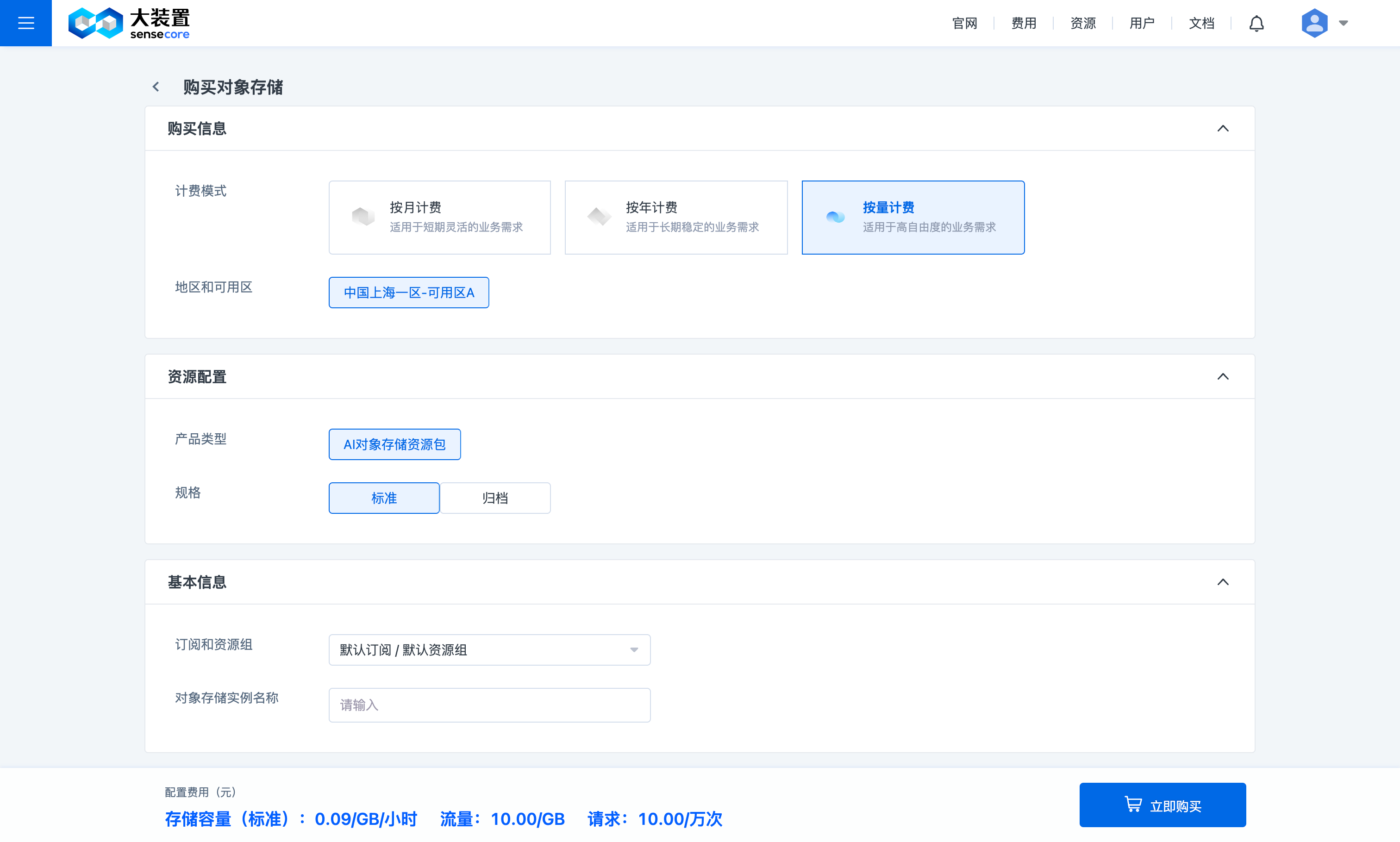
When purchasing resources on the pay-per-use basis, you need to select the storage type of [Standard] or [Archive]; once you have activated the storage type, the pay-per-use billing mode for request and traffic packages will also be activated simultaneously
3. Create an AKSK (the user role needs to create an AKSK before creating a bucket)
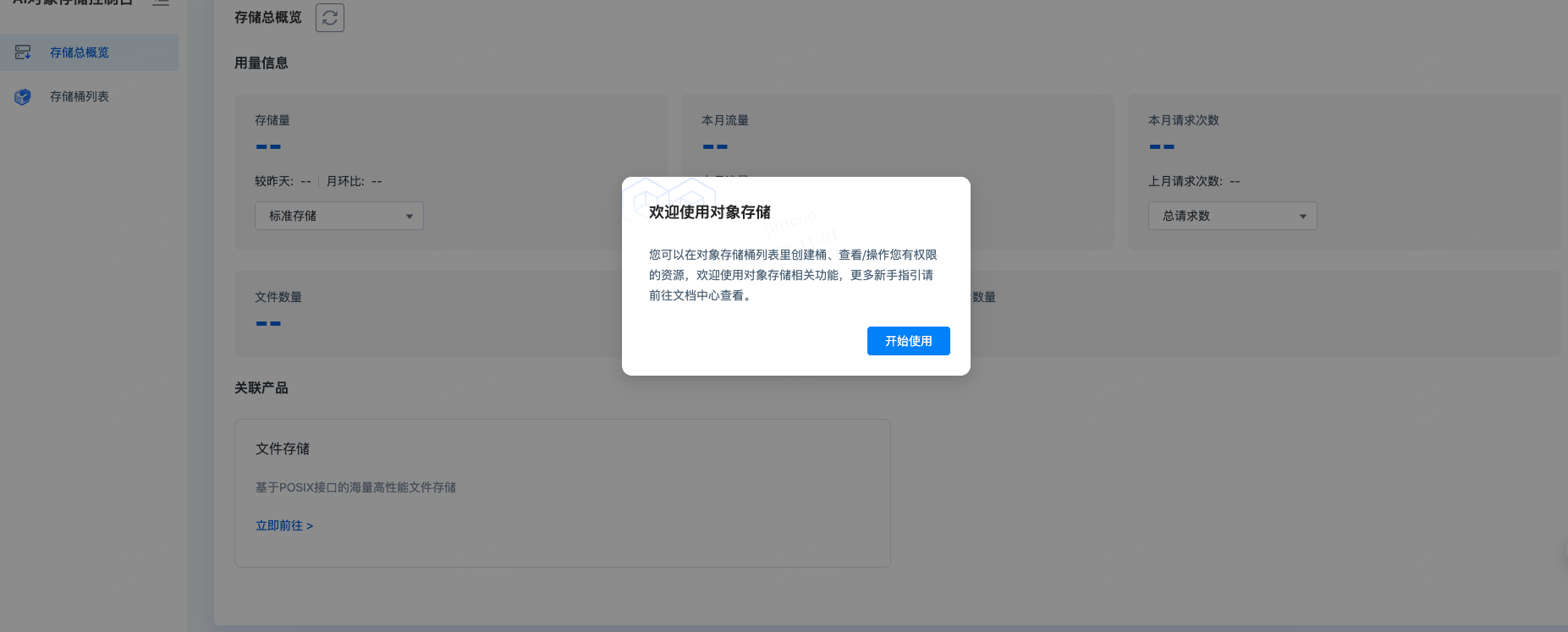
The user role needs to create an AKSK first, and then click [Get Started] to normally use the object storage to create a bucket
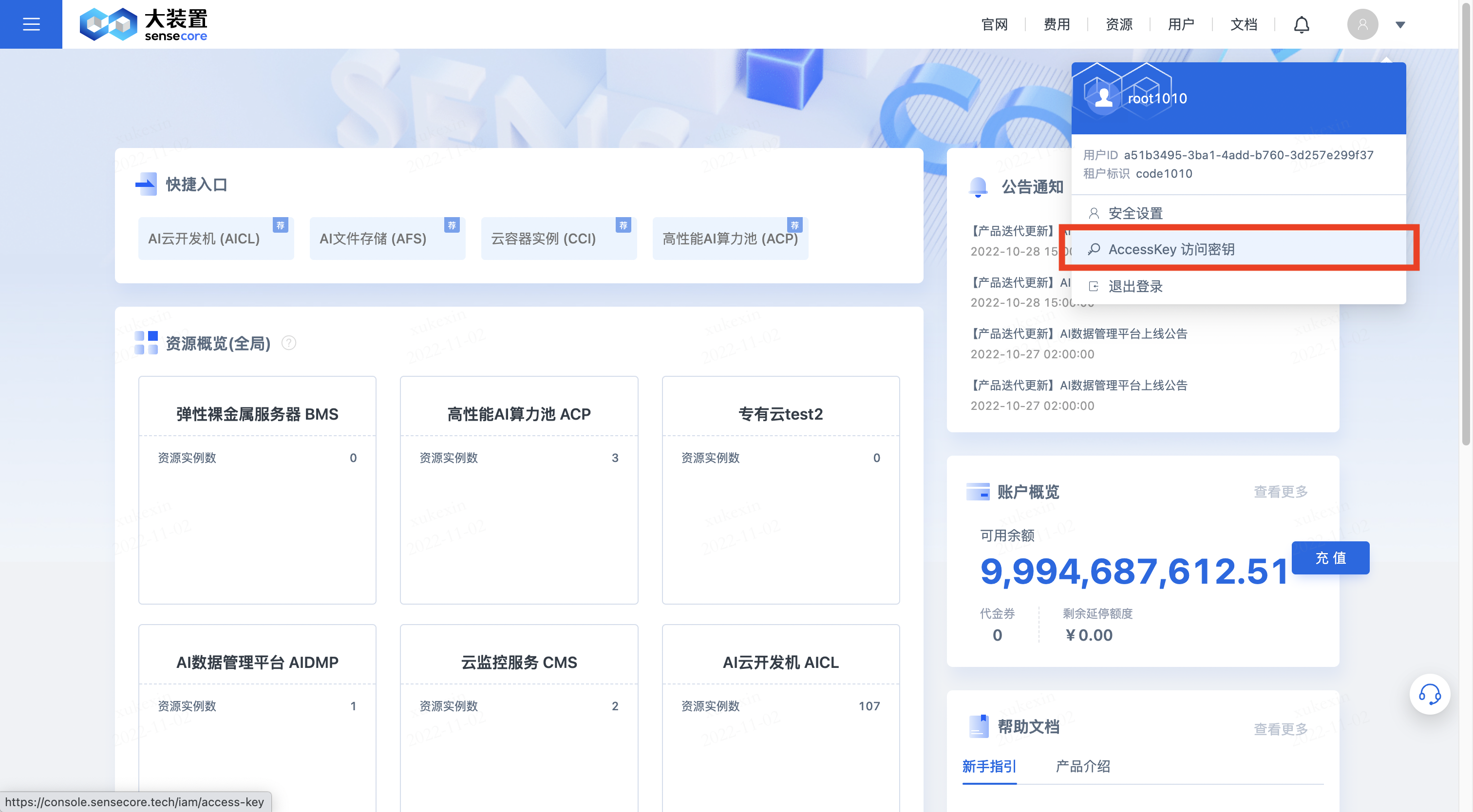
Click [AccessKey] under the avatar in the upper right corner to enter the key management interface
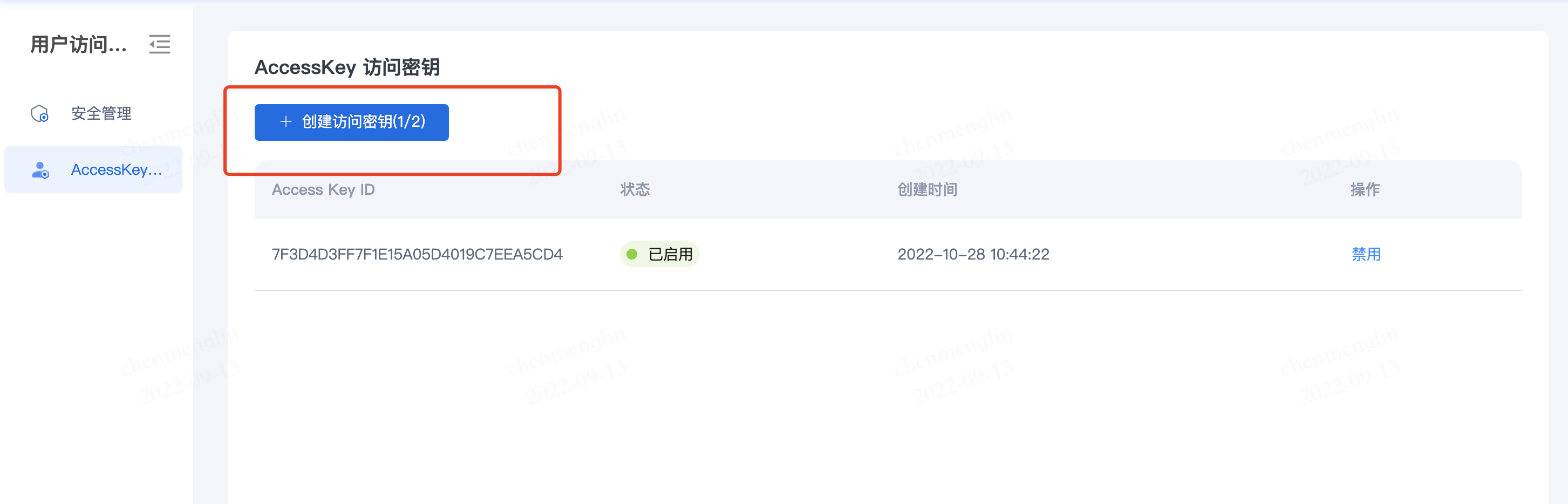
 Click [Create Access Key] to create an AKSK
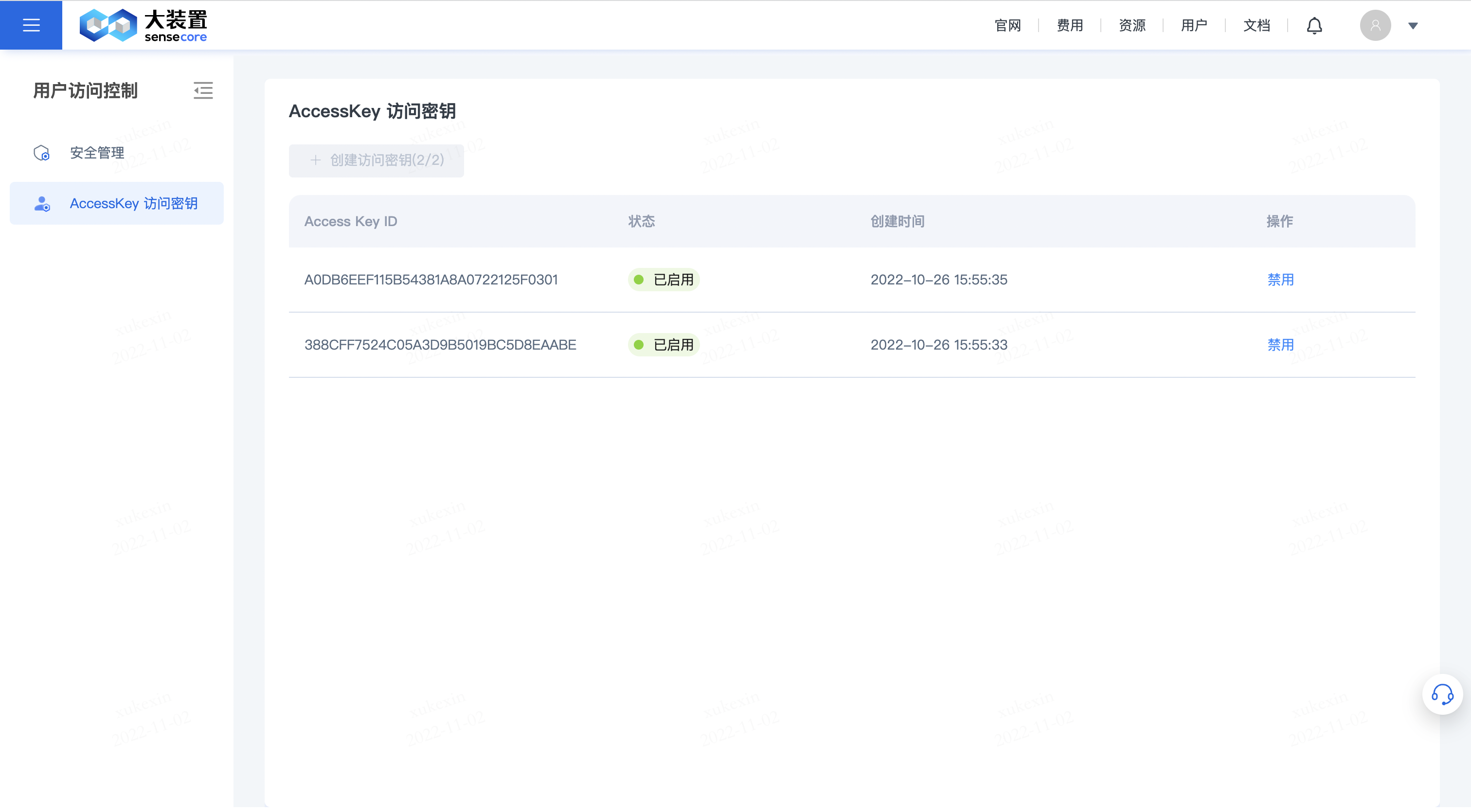 Click [Get Started] for first login to use the object storage normally
4. Create a Bucket
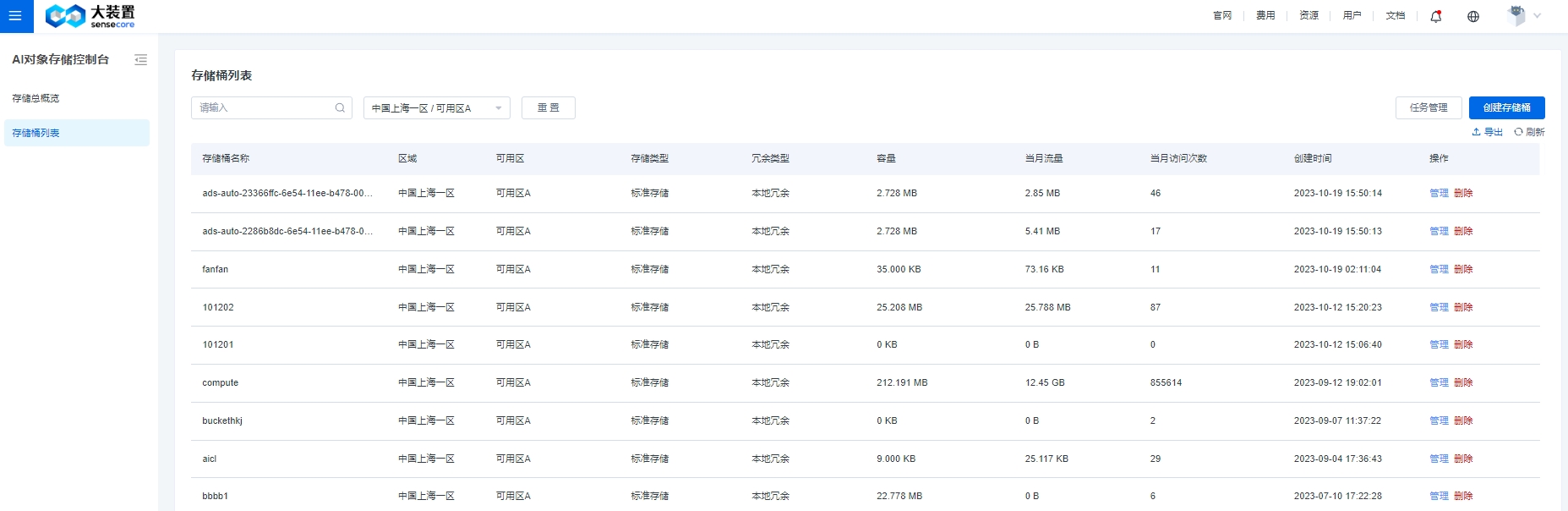
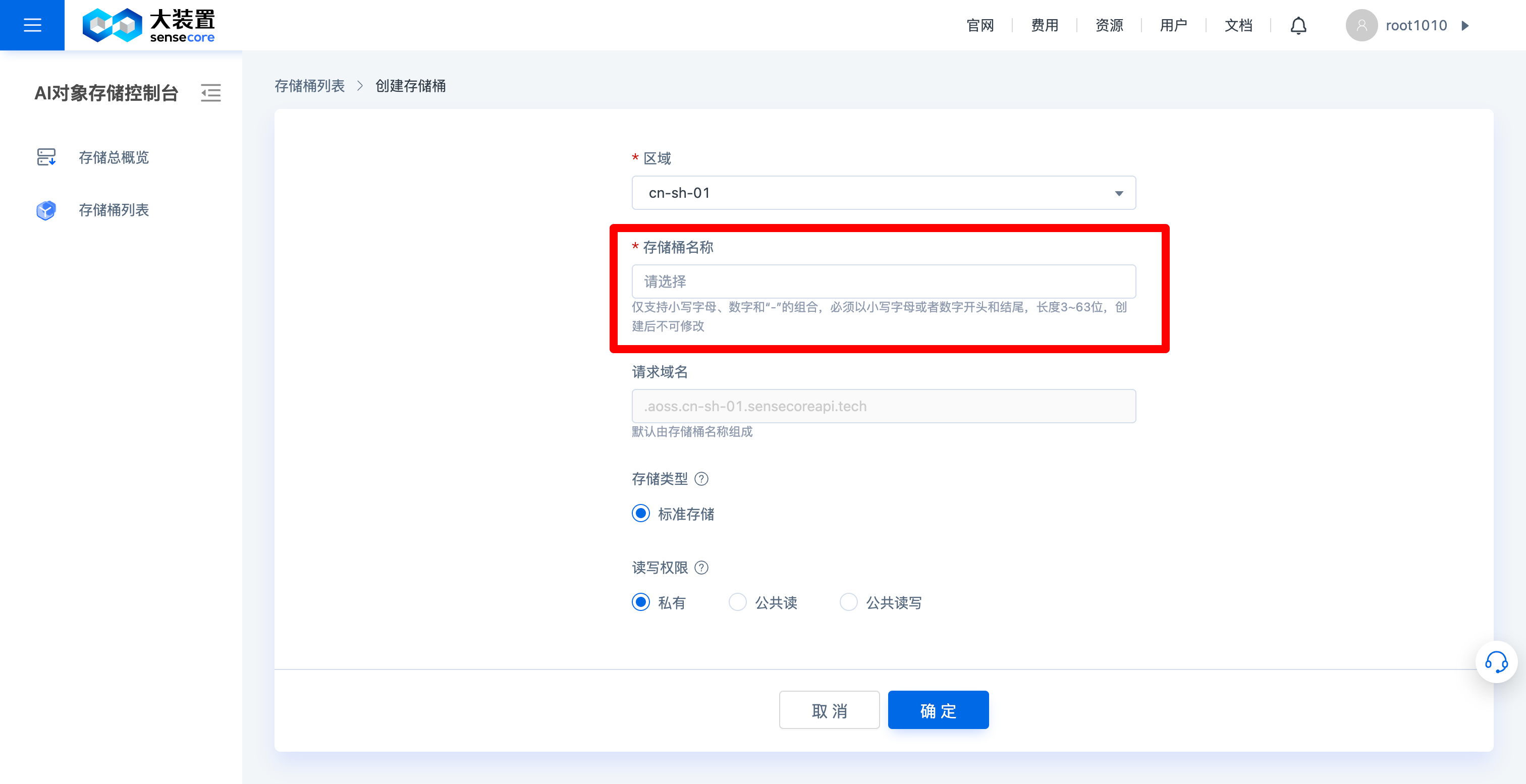
After successfully purchasing resources, go back to the object storage console and create a bucket in the bucket list
5. Upload Files/Directories
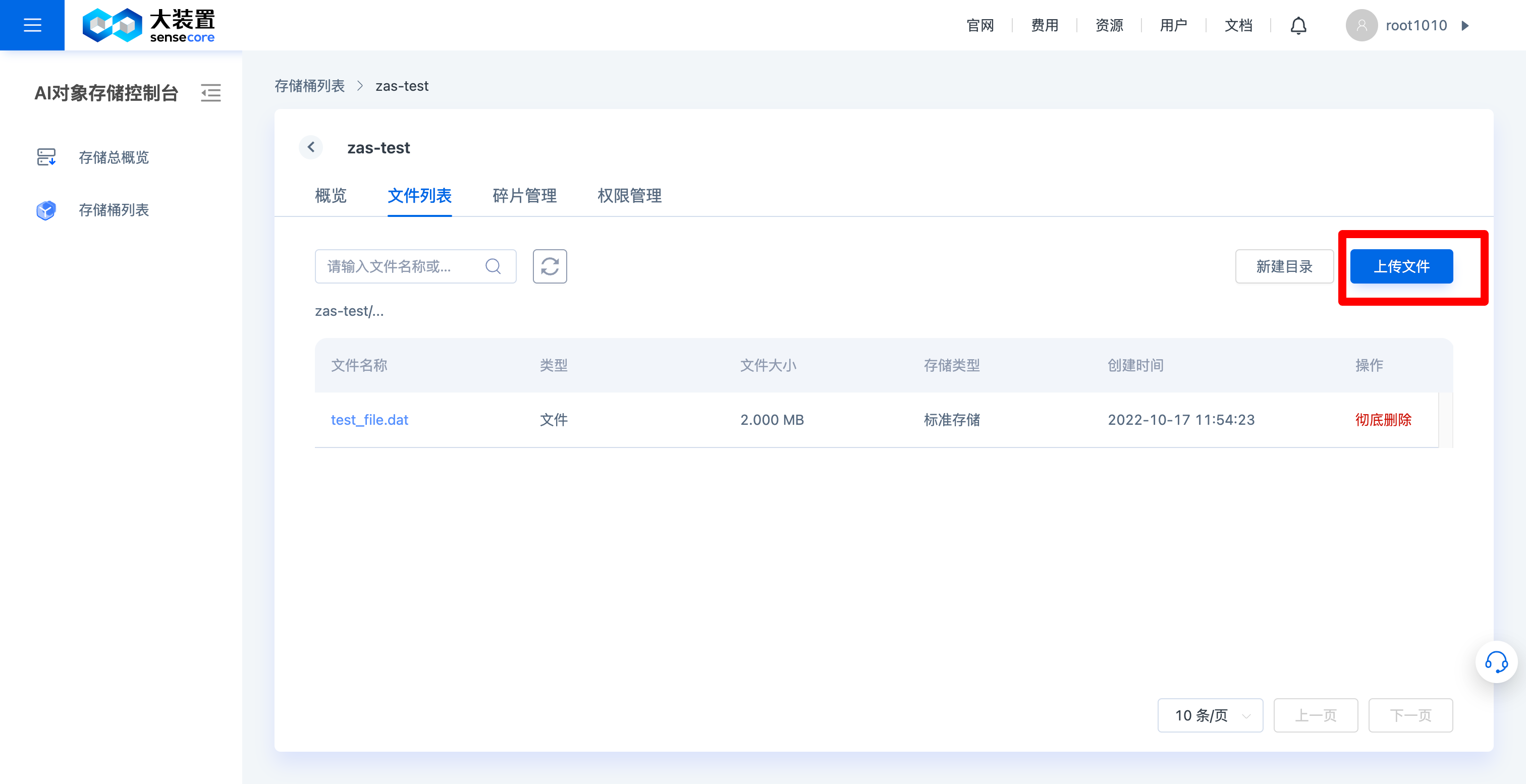
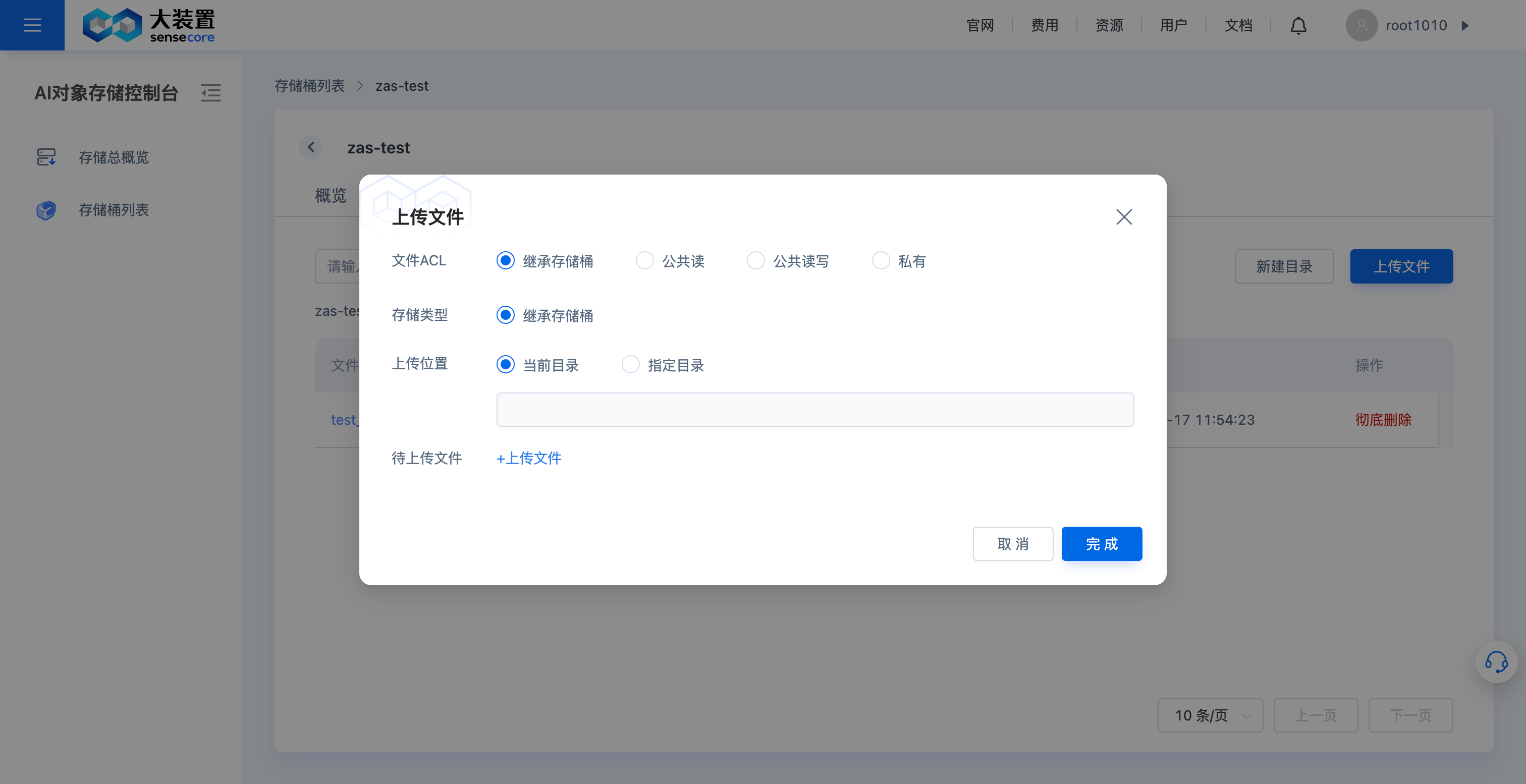
After successfully creating a bucket, you can upload data. The recommended number of files is 200 million (for v1.0 in use, no limit after v2.0 goes online)
6. Purchase Storage Capacity Expansion Resource Packages
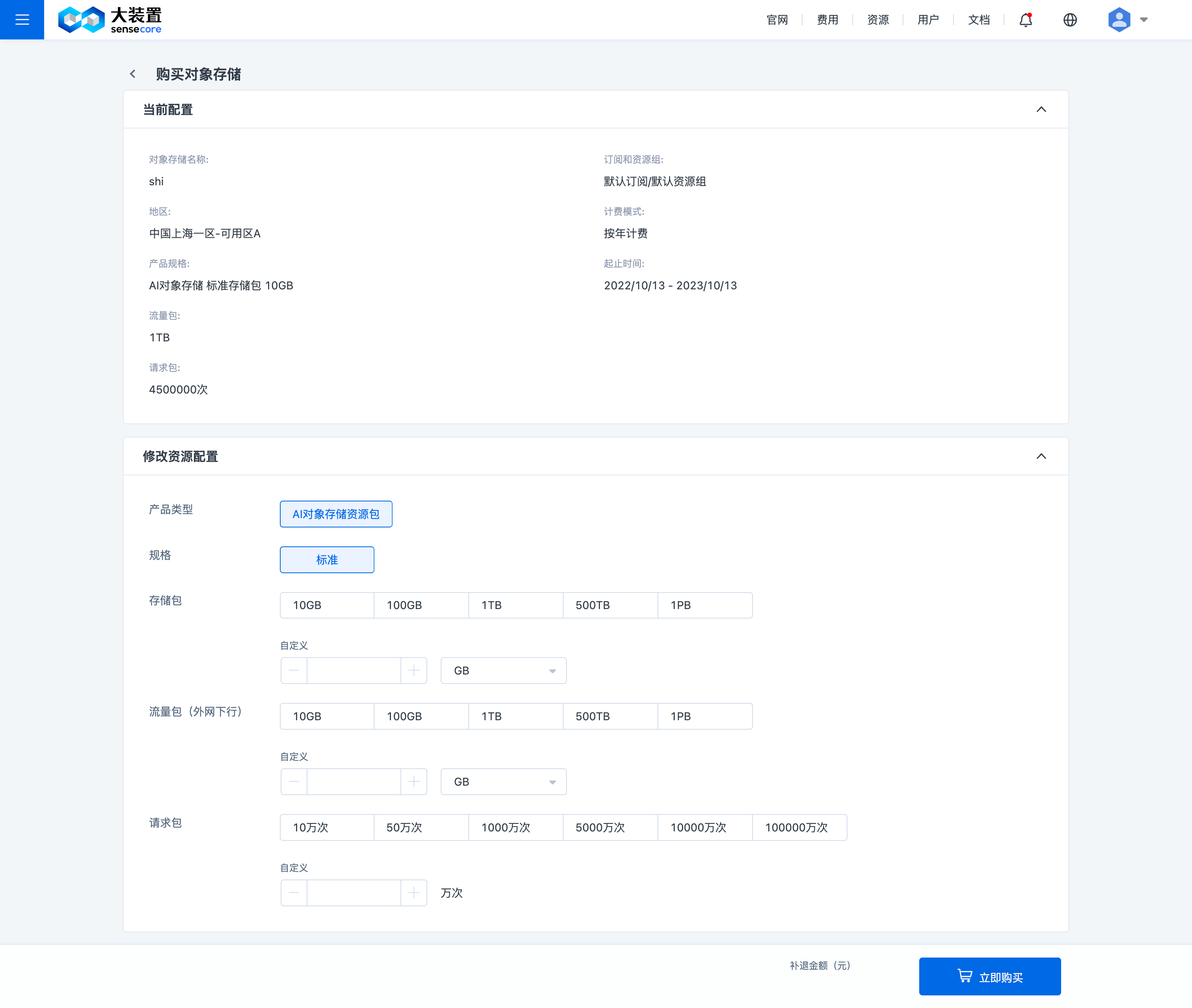
Purchase capacity expansion resource packages - modify the resource configuration: It refers to filling in the final capacity
Click [Purchase Capacity Expansion Resource Package] in the upper right corner
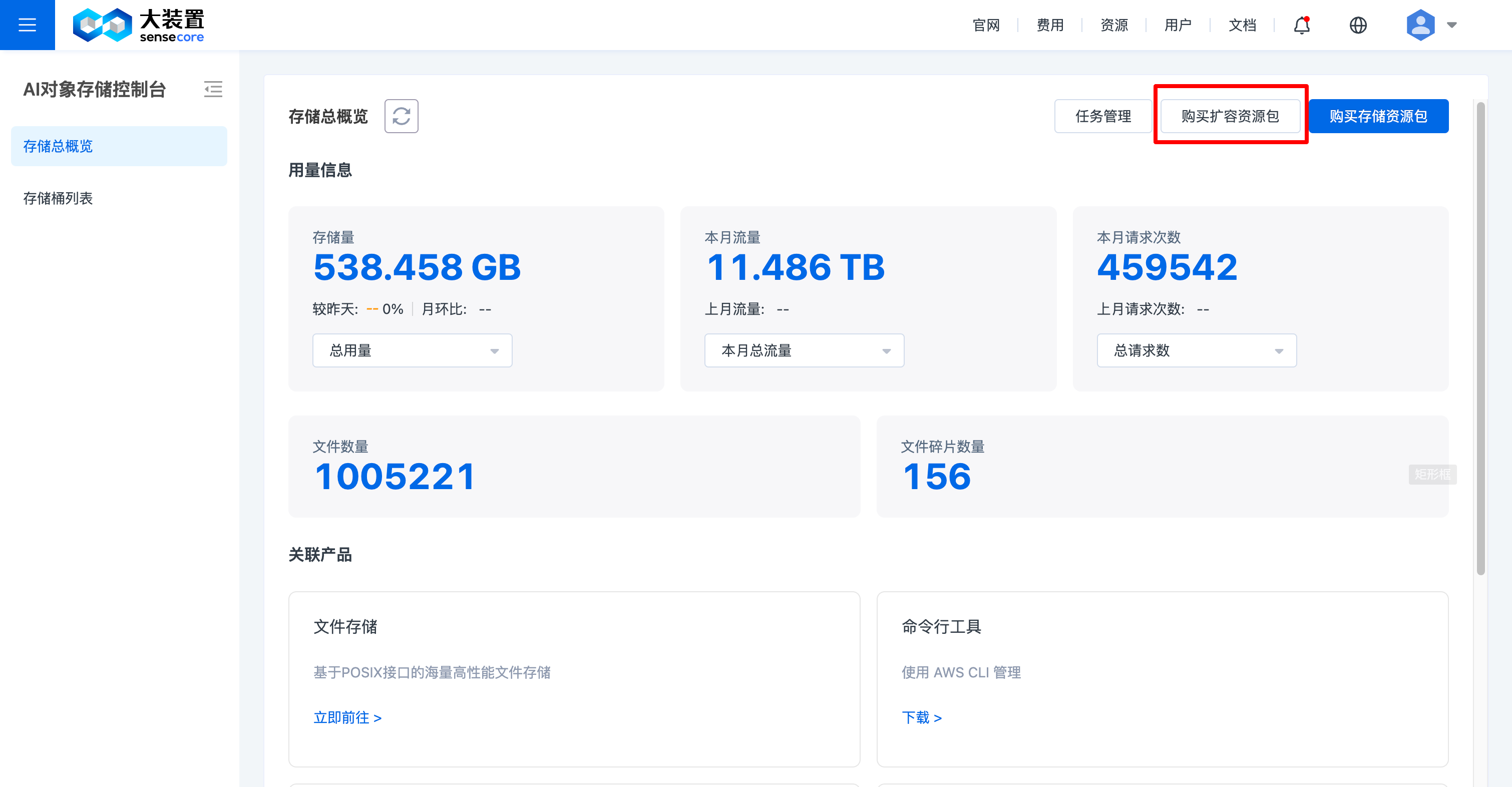
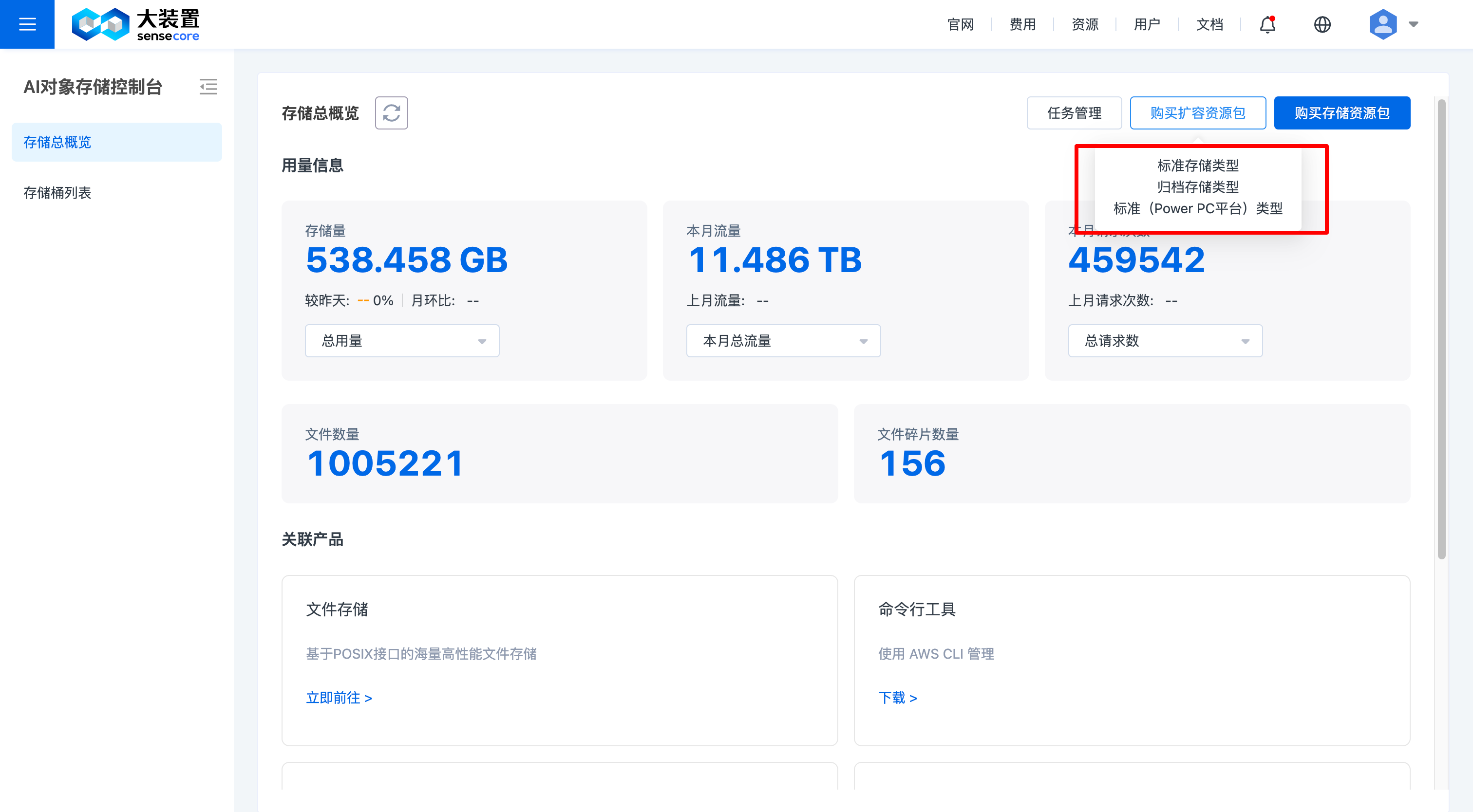
Select the type of resource package that needs to be expanded
Fill in the resource configuration, i.e. filling in the final capacity
Operation Guide
The object storage function mainly includes: the object storage overview, object storage bucket, object action and other functions. The page functions are described below:
1. Object Storage Overview
In the object storage overview, the following functions are supported:
- View the overview of storage usage: It supports viewing the total storage usage, total traffic usage, total requests, number of files, and number of file fragments of various types.
- Jump to related products
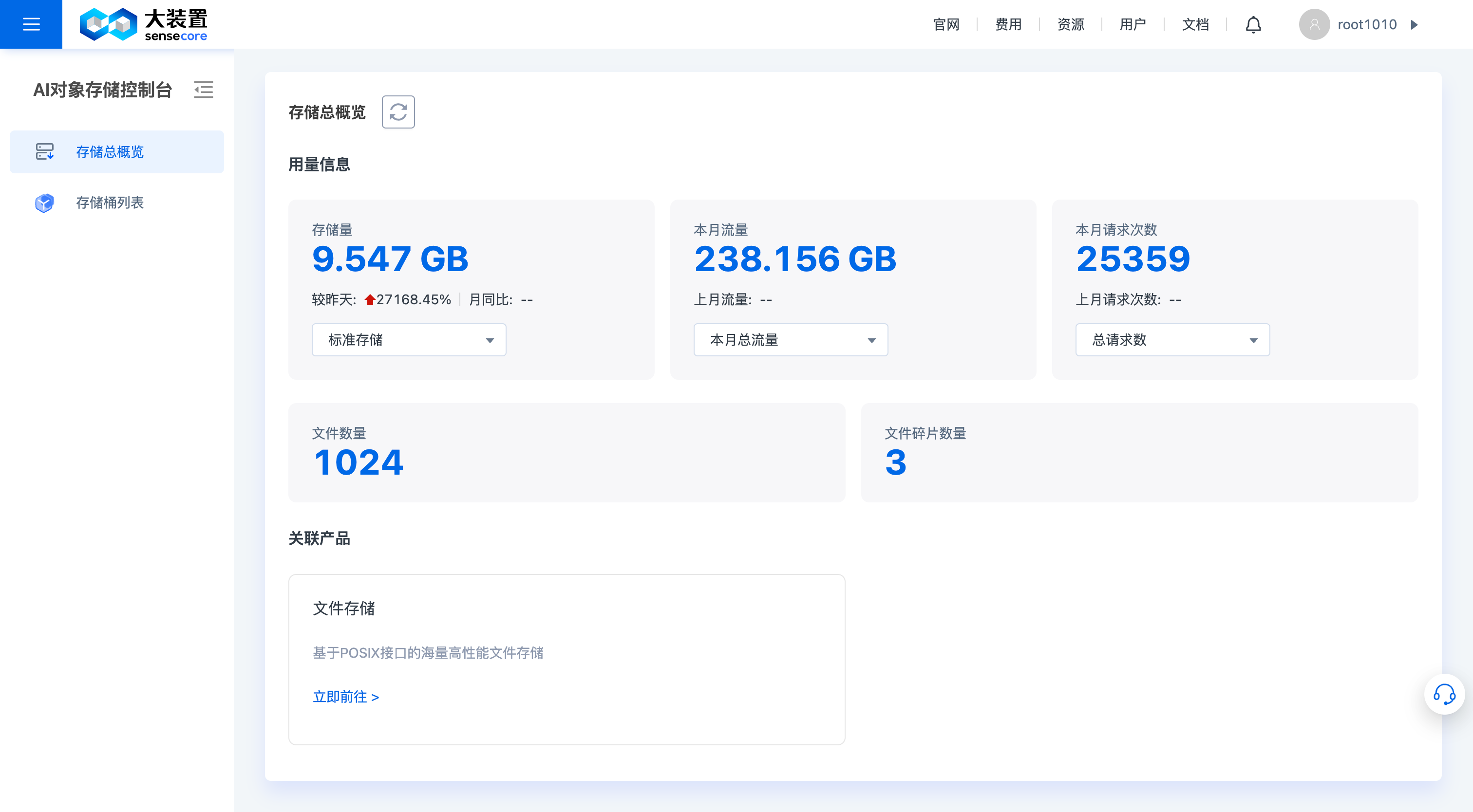
2. Actions on Object Storage Buckets
a. View the Object Storage Bucket List
The object storage console supports related actions on object storage buckets, including:
- creating buckets, searching buckets, deleting buckets, and downloading the current bucket list
- managing buckets (see “3. Actions in object storage buckets” for details)
- Adding the Availability Zone B option (2030.10.30)
b. View Object Storage Bucket Overview
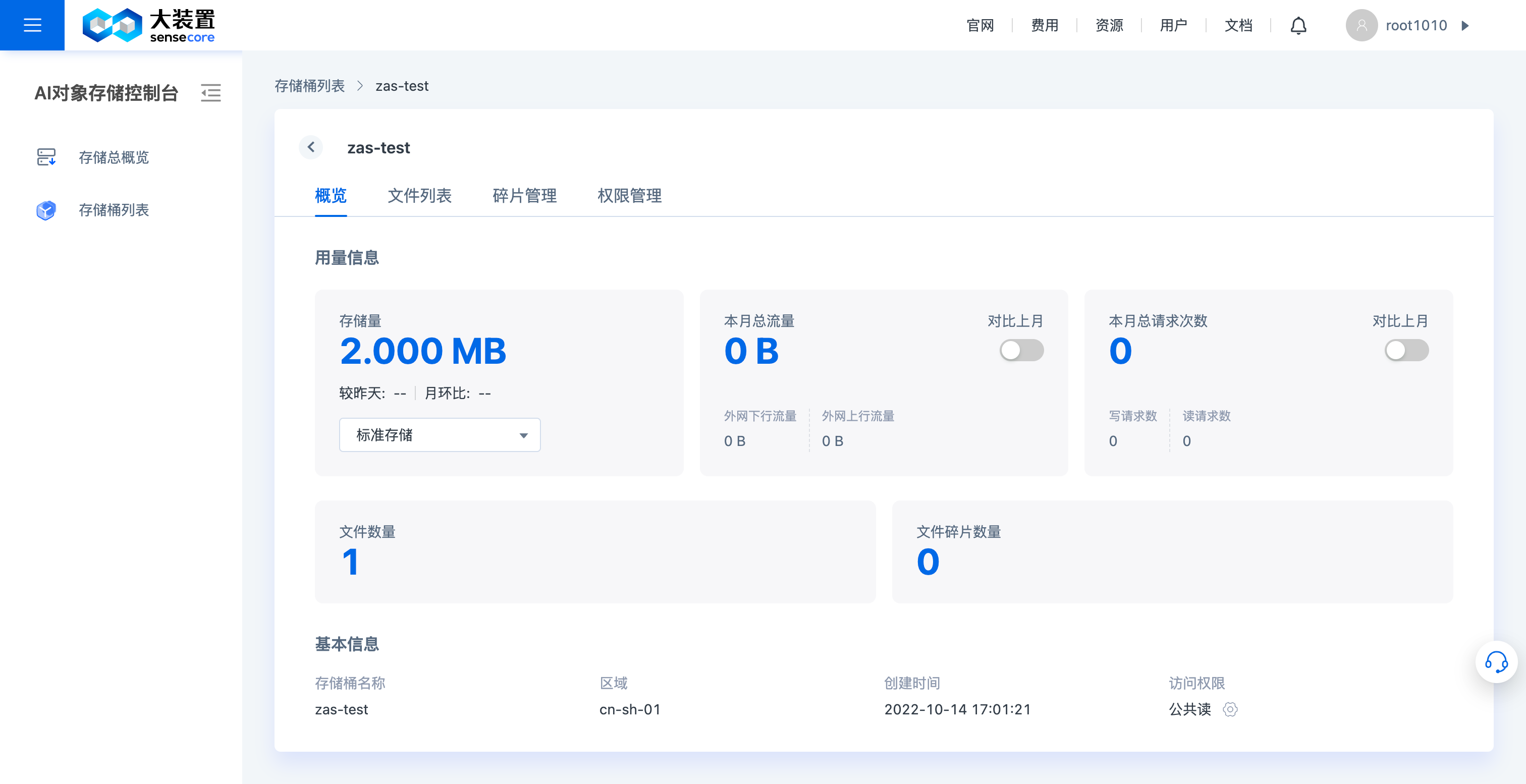
- In the bucket overview, you can view the basic usage information, access domain information, and basic monitoring metrics (capacity, traffic, and number of requests) of the bucket
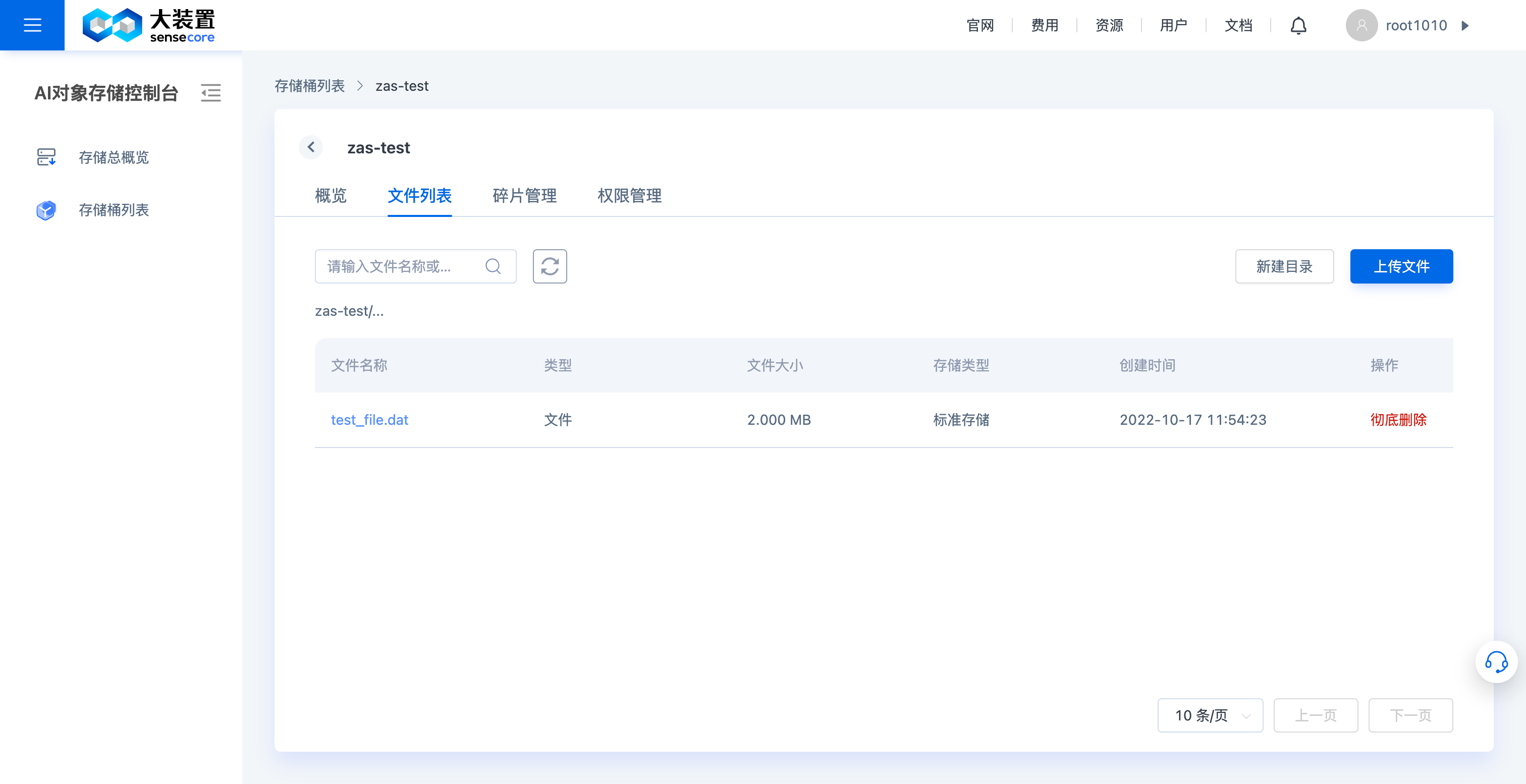
c. View the Object Storage Bucket File List and File Details
View the bucket file list
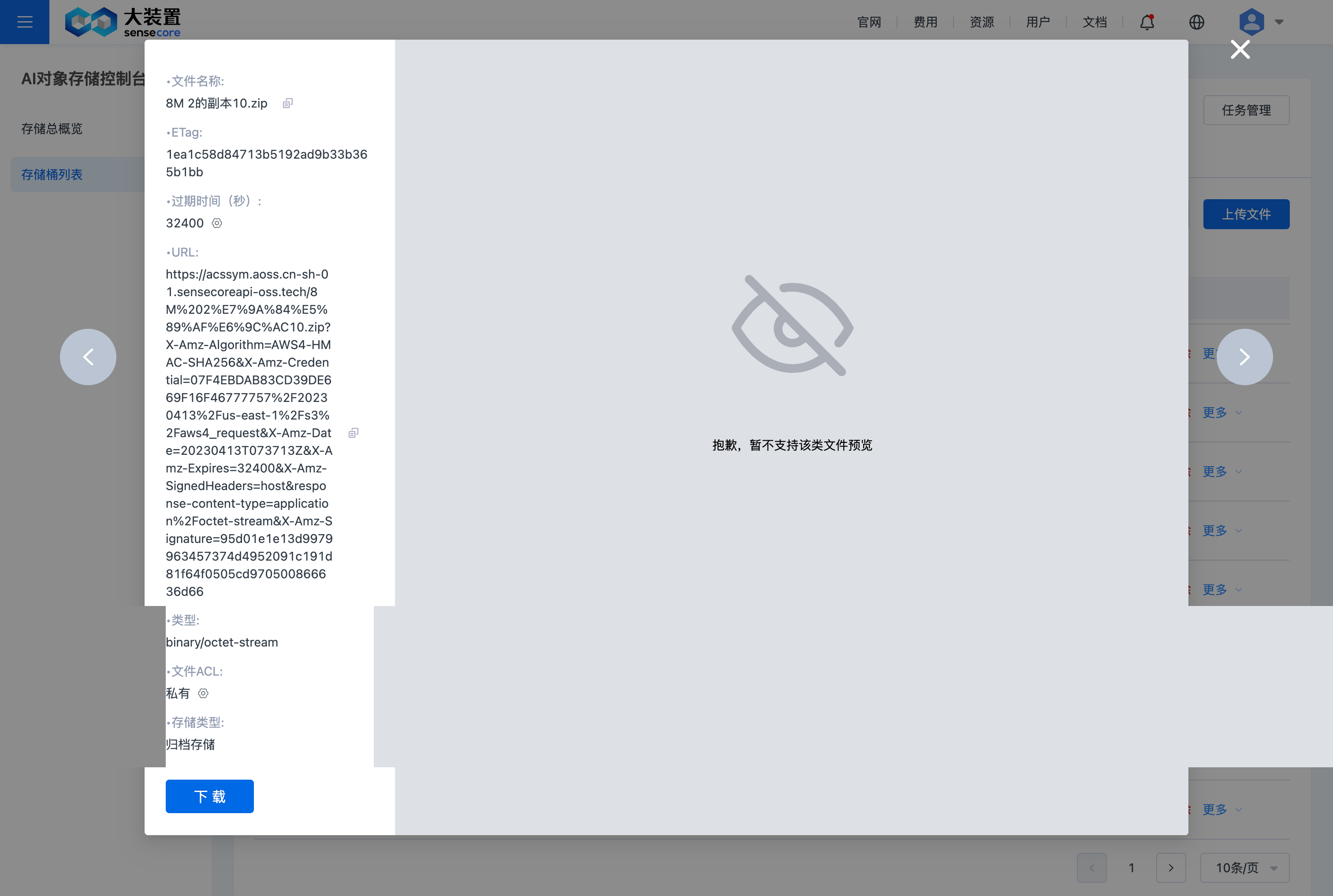
View bucket file details
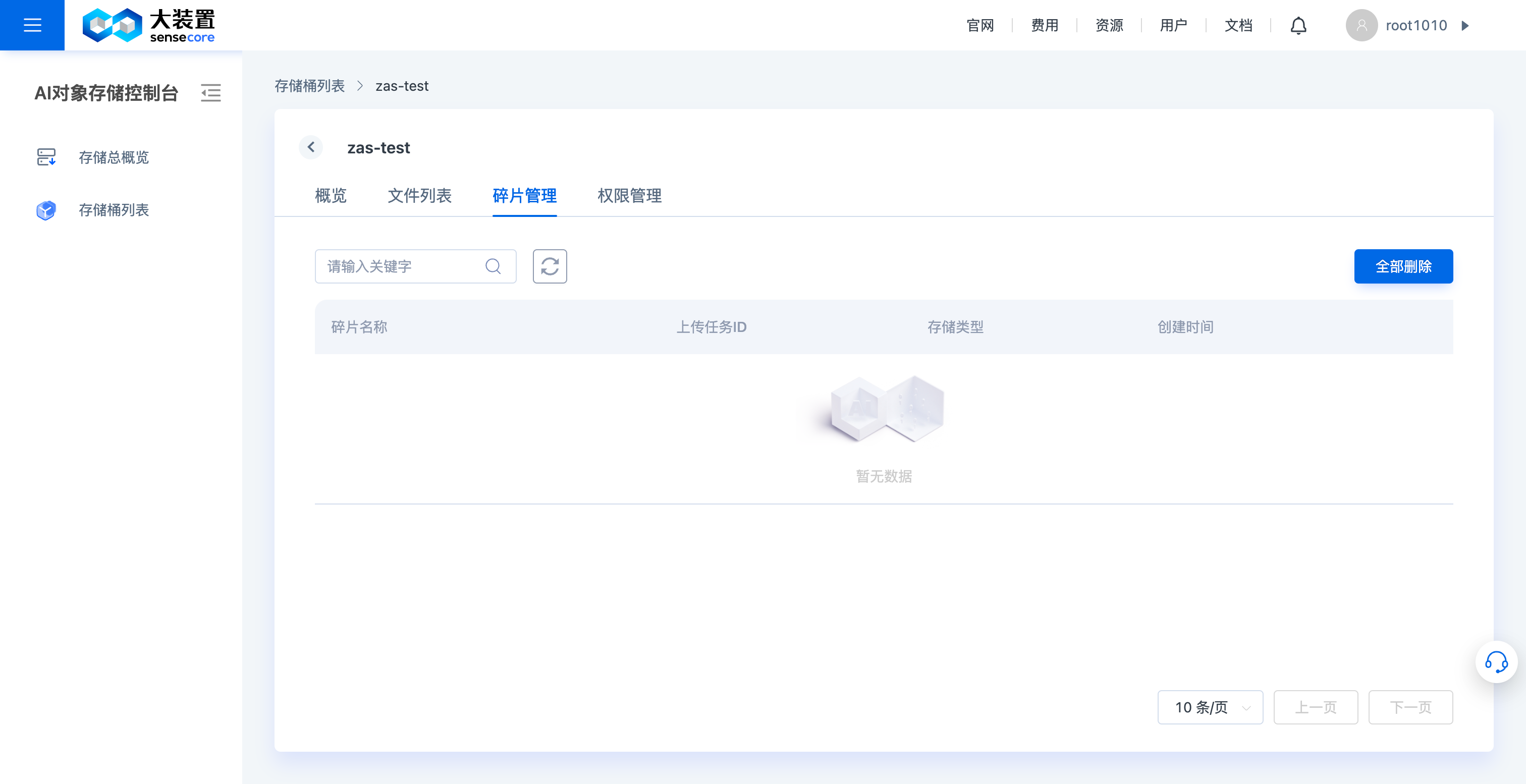
d. Manage Object Storage Bucket Fragments
- On the Fragment Management page, you can manually delete file fragments in the bucket (file fragments will occupy storage space)
e. Manage Object Storage Access Settings
The access policy supports the addition of three types of policies: bucket ACL, bucket access policy, and association with IAM (unreleased yet)
- The bucket ACL supports setting an ACL for the bucket
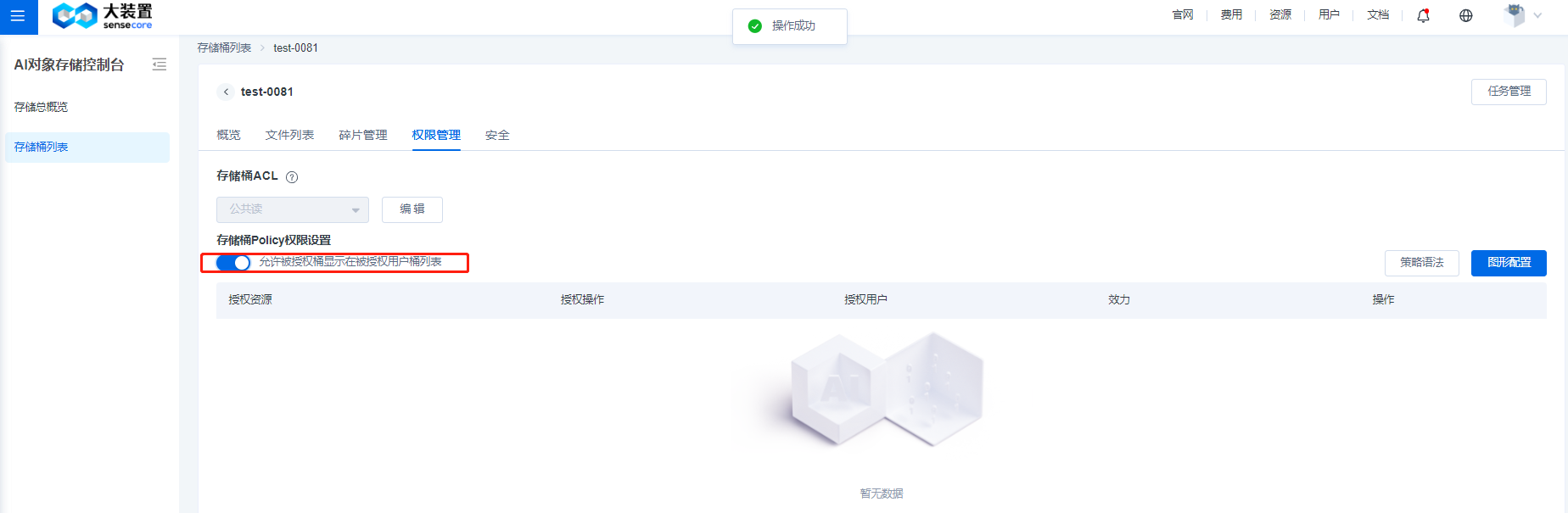
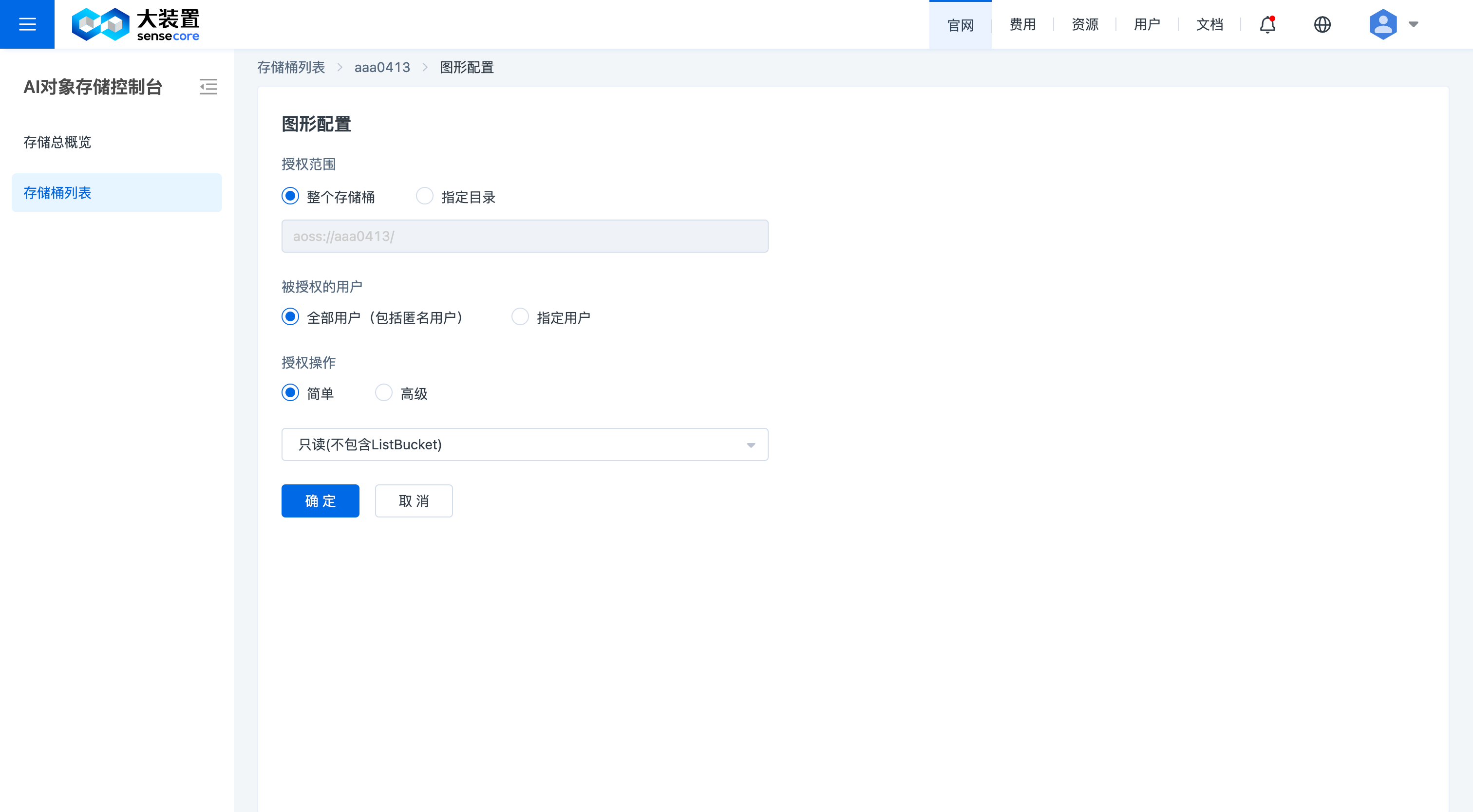
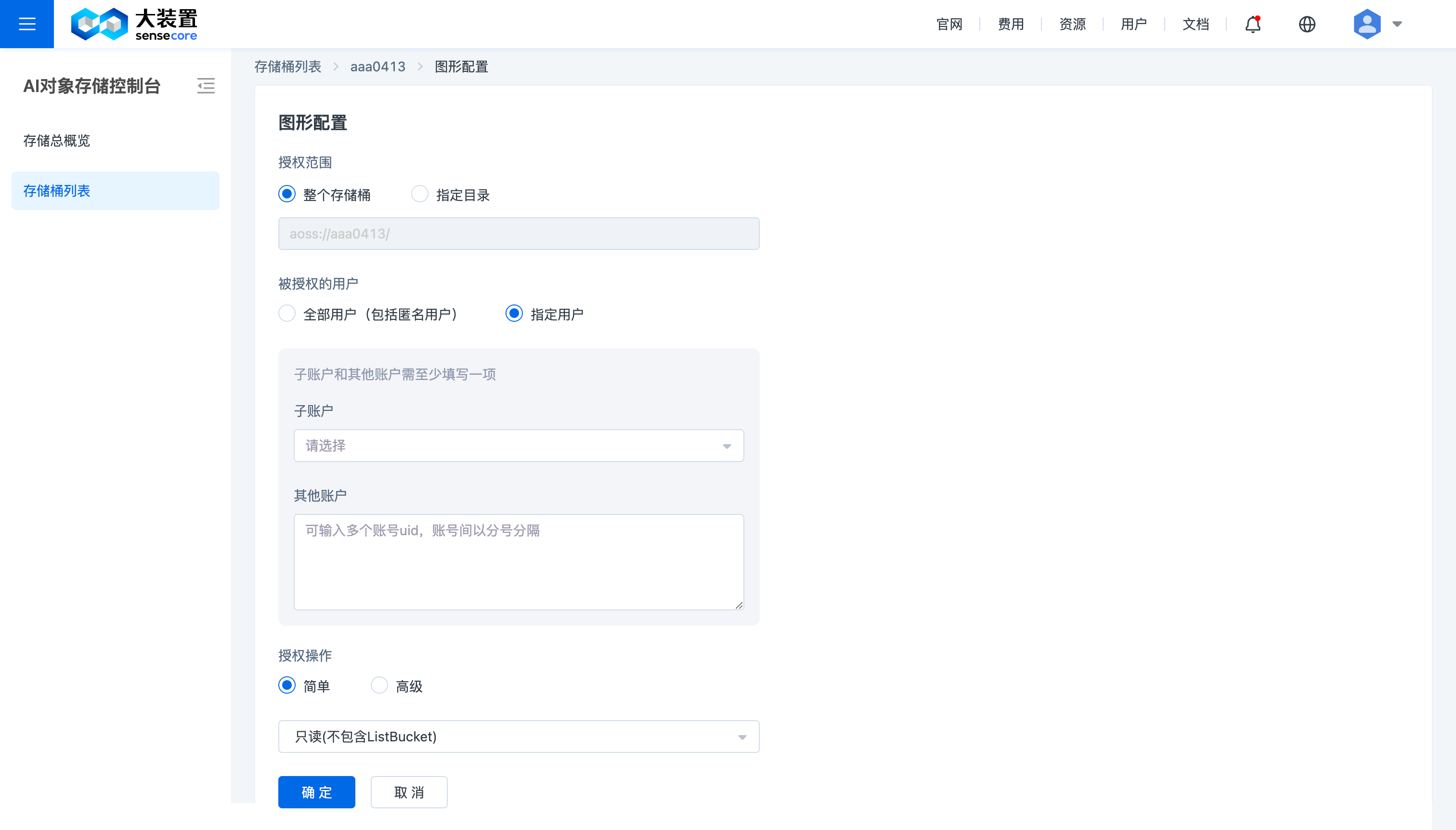
- The bucket access policy supports native bucket access policies, which can be set through a graphical interface or policy syntax
- Turn on the policy switch (it is turned off by default), allowing the authorized bucket to be displayed in the bucket list of the authorized user
Here, [All Users] in the graphical configuration of access policy refers to [All Users of SenseCore], and [Other User IDs] in [Specified Users] refers to [User IDs of Cross-tenants].
Delete Policies
A method for deleting related buckets using syntax:
Open [Policy Syntax Interface] as shown above
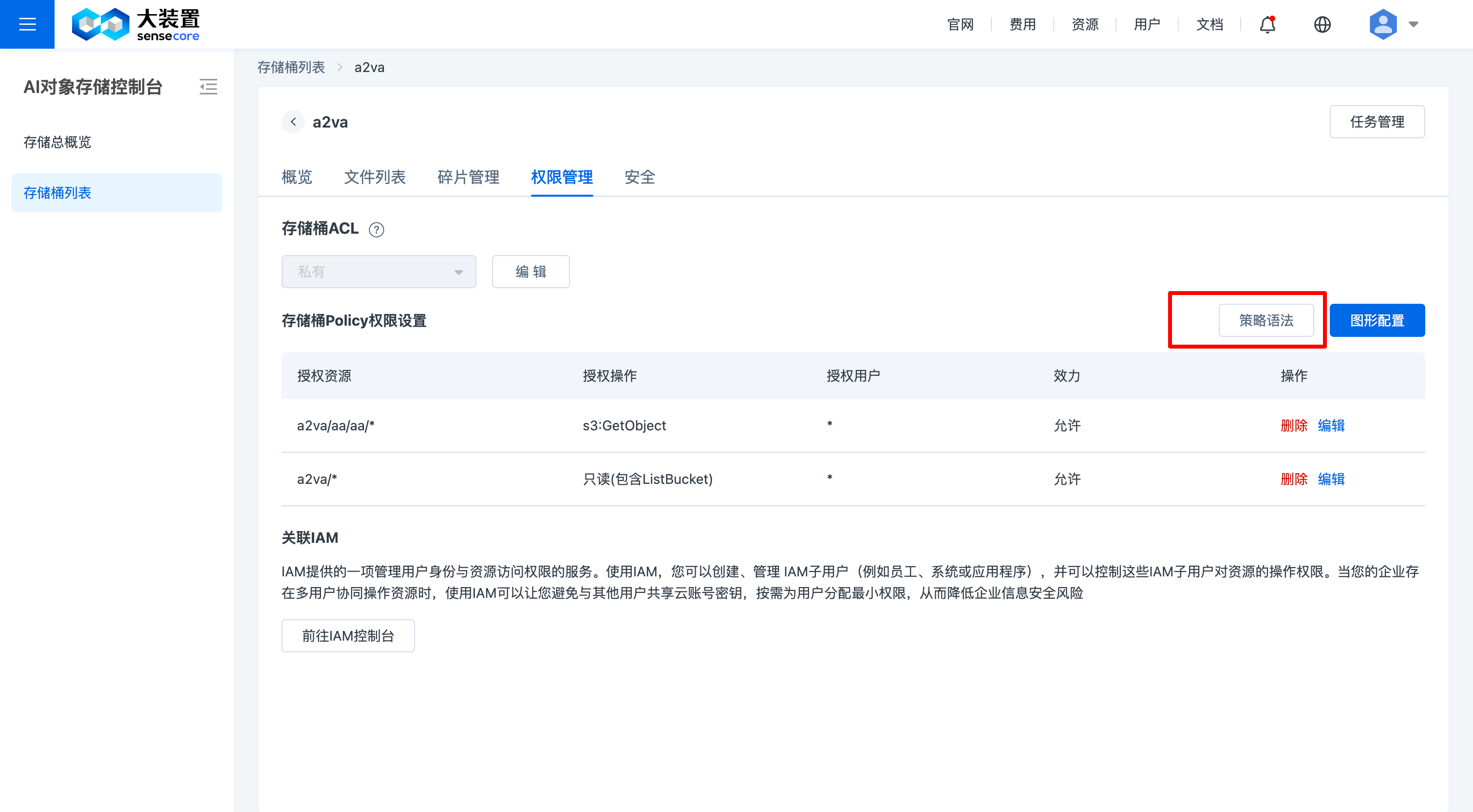
Add codes as needed in the location as shown above
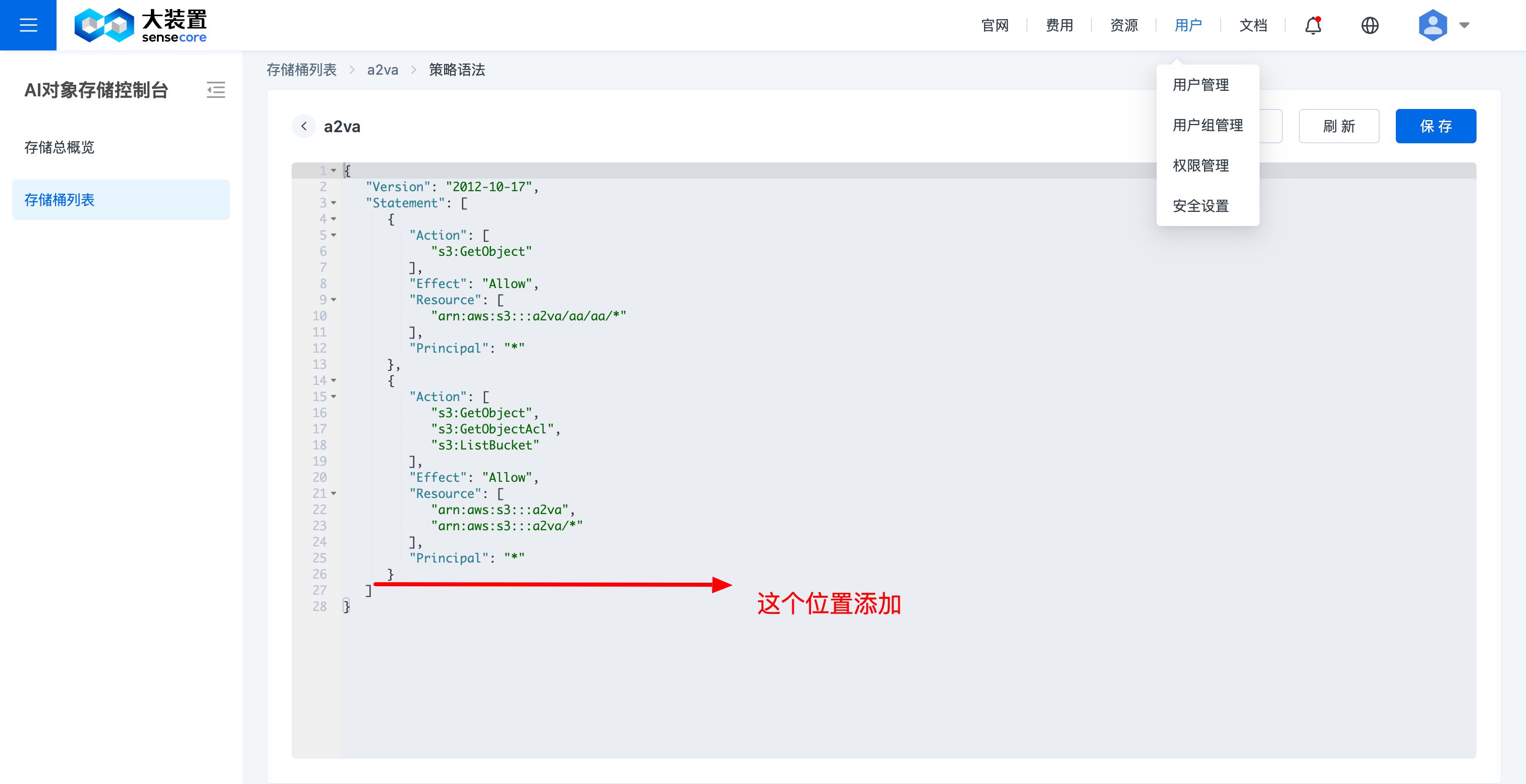
Allow to delete access-related policies 3.1 Allow all users to delete objects (entire copy)
 {
         "Action": [
            "s3:DeleteObject"
         ],
         "Effect": "Allow",
         "Resource": [
  // Fill in the action resource address, replace the bucket with the bucket name; replace folder1 with a specific path; if there is more than one, separate them with ,
             "arn:aws:s3:::bucket/*",
             "arn:aws:s3:::bucket/folder1/*"
         ],
         "Principal": "*"
      }
3.2 Allow a specified user to delete objects (entire copy)
  {
         "Action": [
            "s3:DeleteObject"
         ],
         "Effect": "Allow",
         "Resource": [
  // Fill in the action resource address, replace the bucket with the bucket name; replace folder1 with a specific path; if there is more than one, separate them with ,
            "arn:aws:s3:::bucket/*",
            "arn:aws:s3:::bucket/folder1/*"
         ],
         "Principal": {
              "AWS": [ //Replace [uid1] with the specified user ID
                  "arn:aws:iam:::user/uid1",
                  "arn:aws:iam:::user/uid2"
               ]
          }
      }
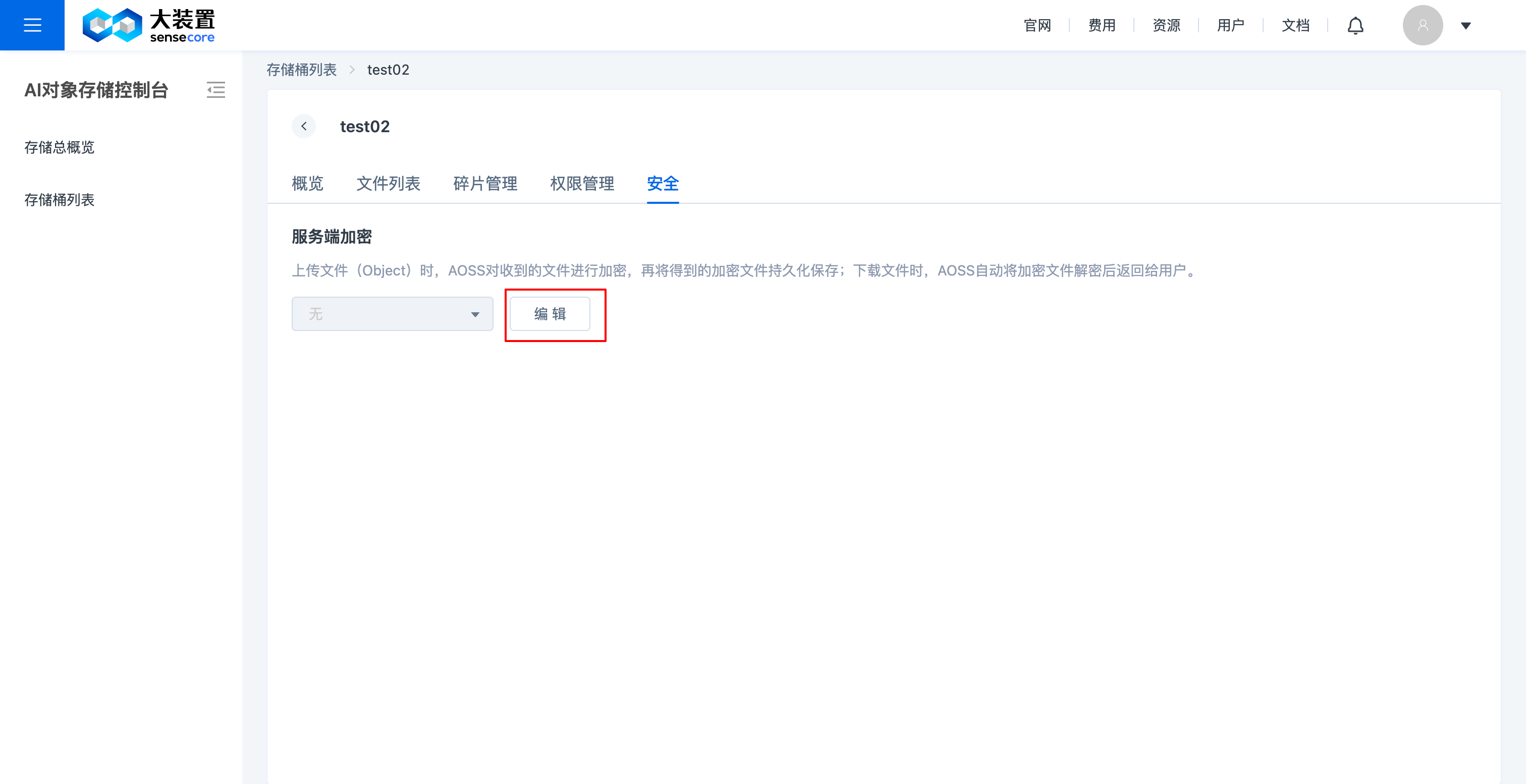
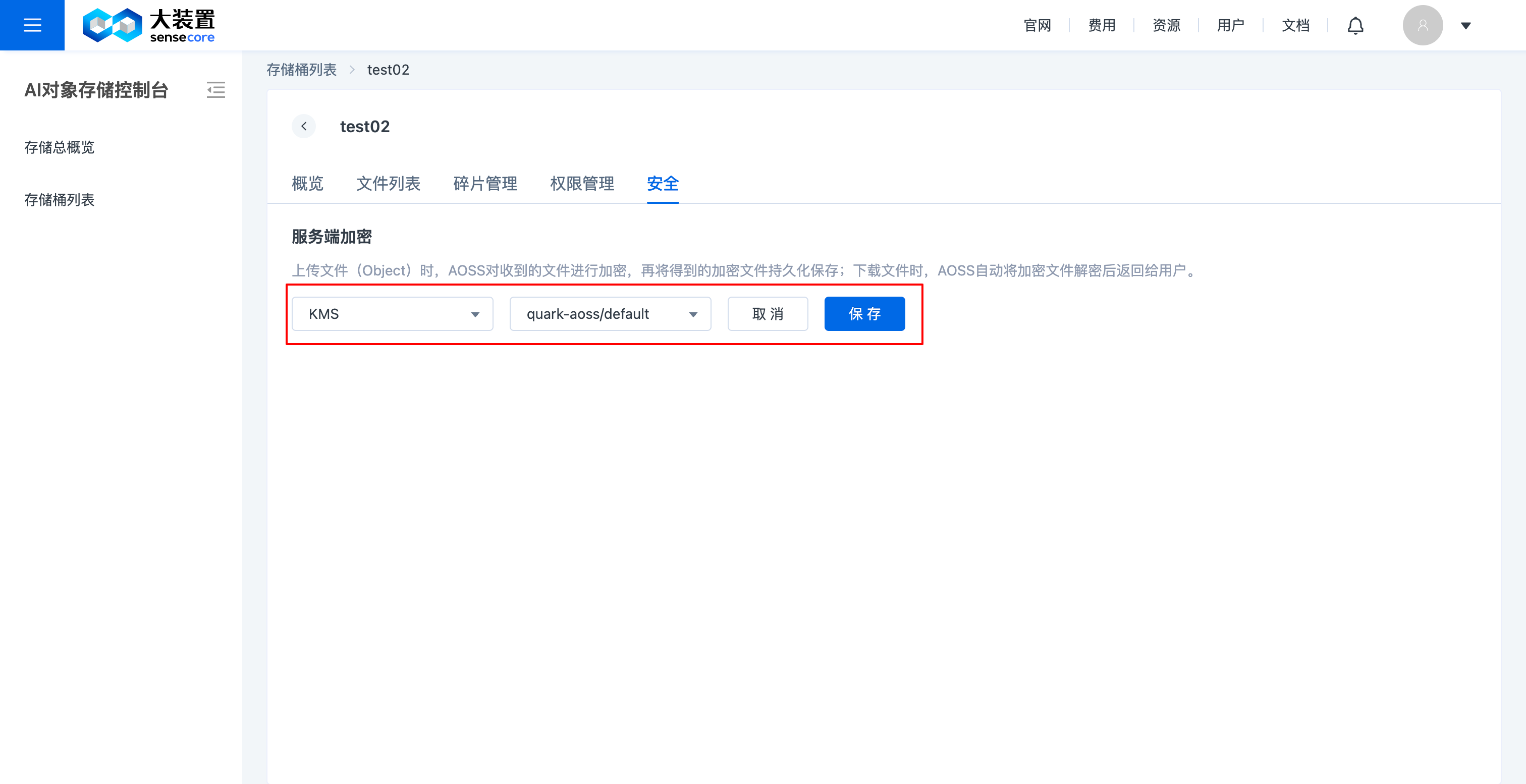
f. Manage Object Storage Bucket Security (Bucket Encryption)
- Support modifying the security settings of created and unencrypted buckets to be encrypted, and support server-side encryption; however, custom keys are not supported;
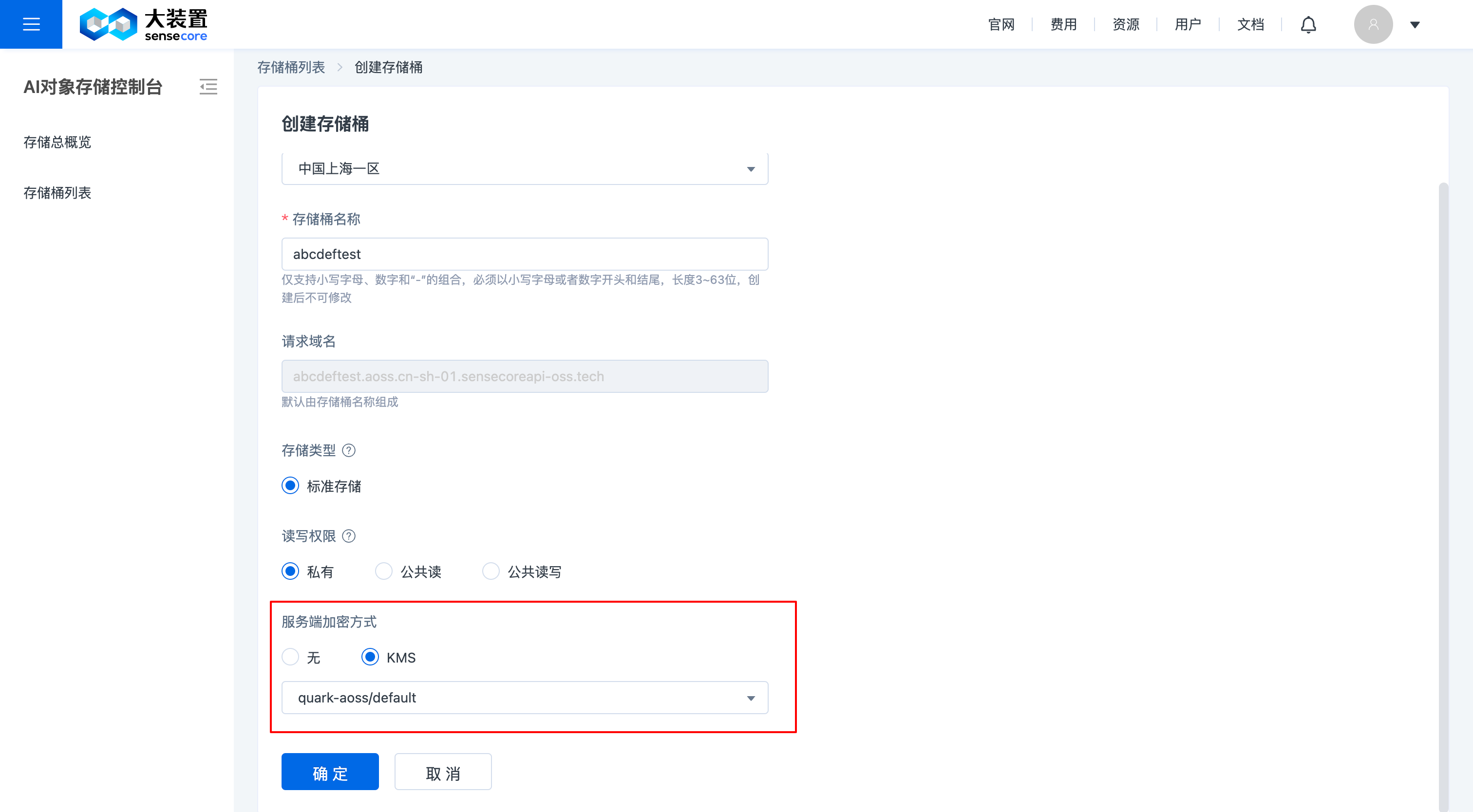
- Support setting bucket encryption when creating a bucket
3. Actions in Object Storage Buckets and Object Actions
The object storage console supports actions on the objects in a bucket
a. View the bucket file list: In the bucket file list, you can take actions on the objects in the bucket, including: uploading files, downloading files, creating directories, searching files, viewing file details, and deleting files
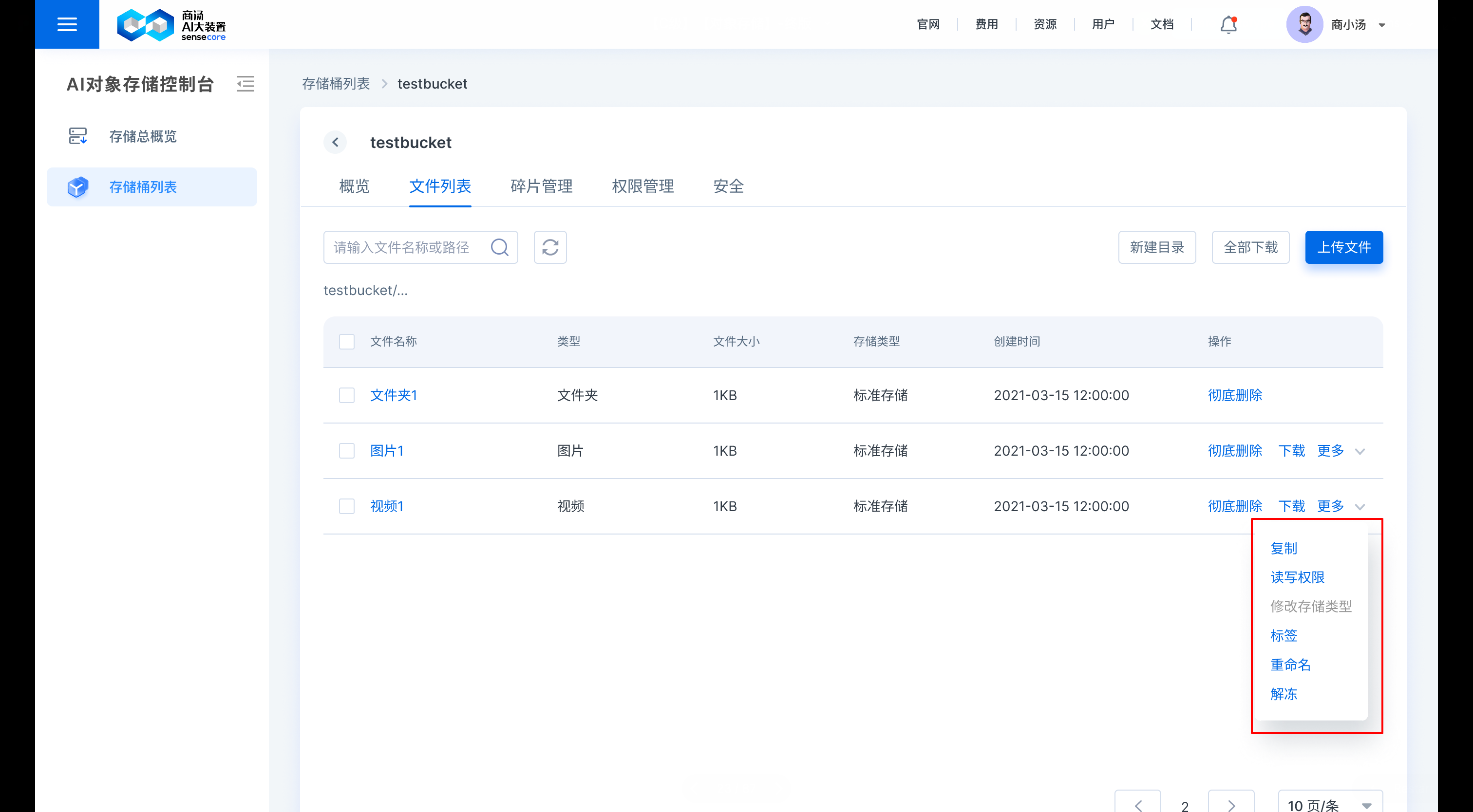
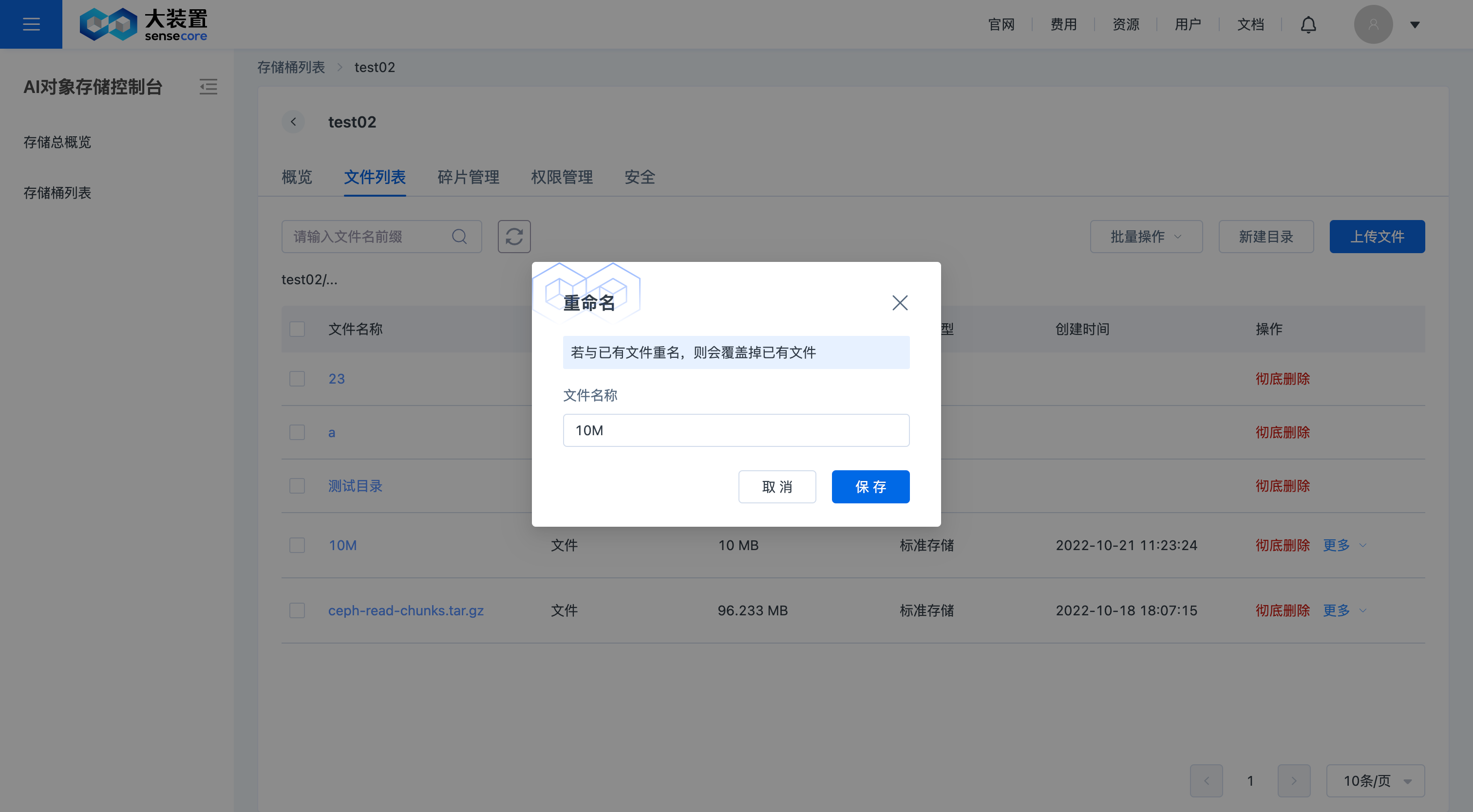
b. Support renaming files
Click [More] after the file to be modified and select [Rename] to rename the file
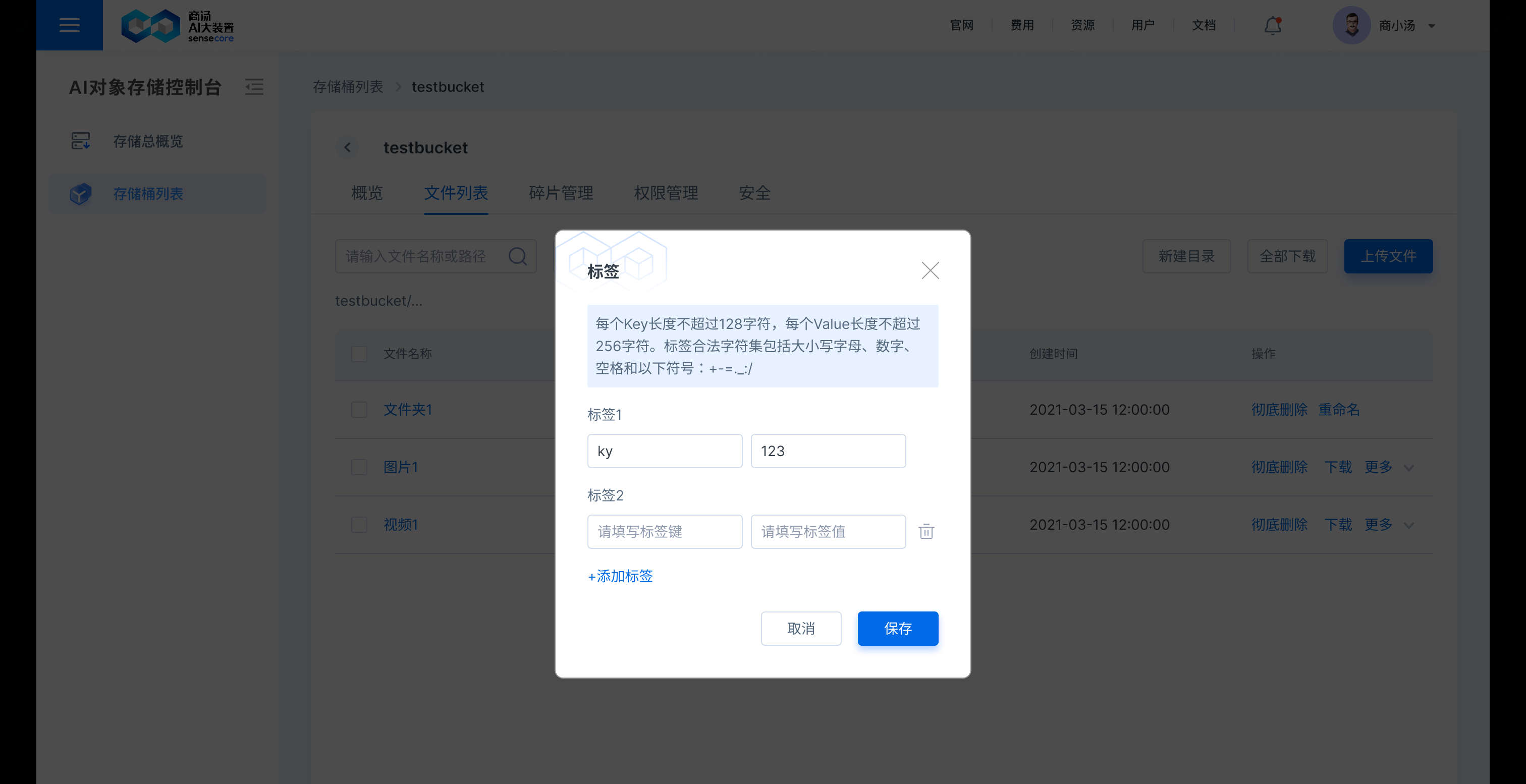
b. Support adding tags to files
Click [More] after the file to be tagged and select [Tag] to add or modify the file tag. You can also view, modify, and delete the tags added before here
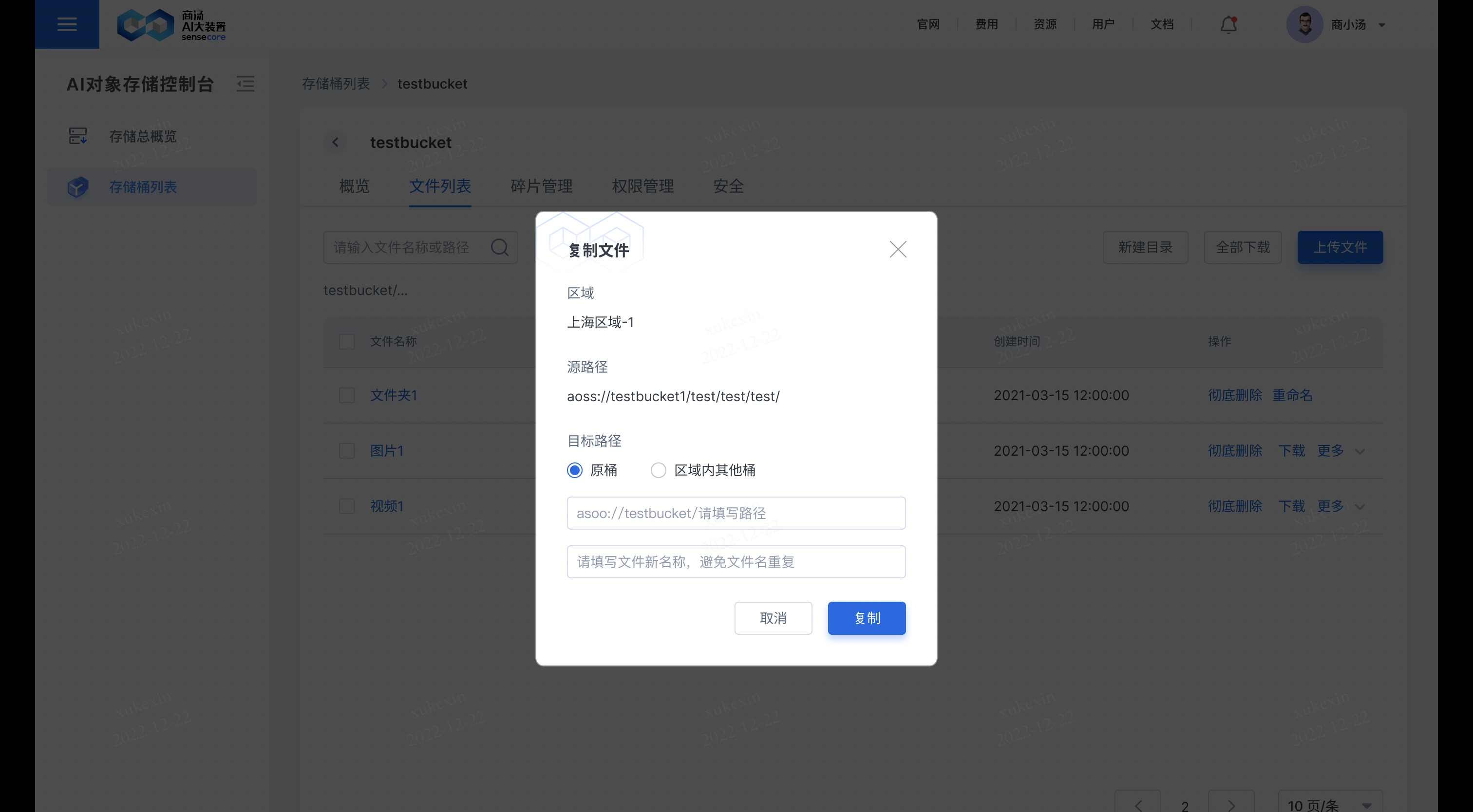
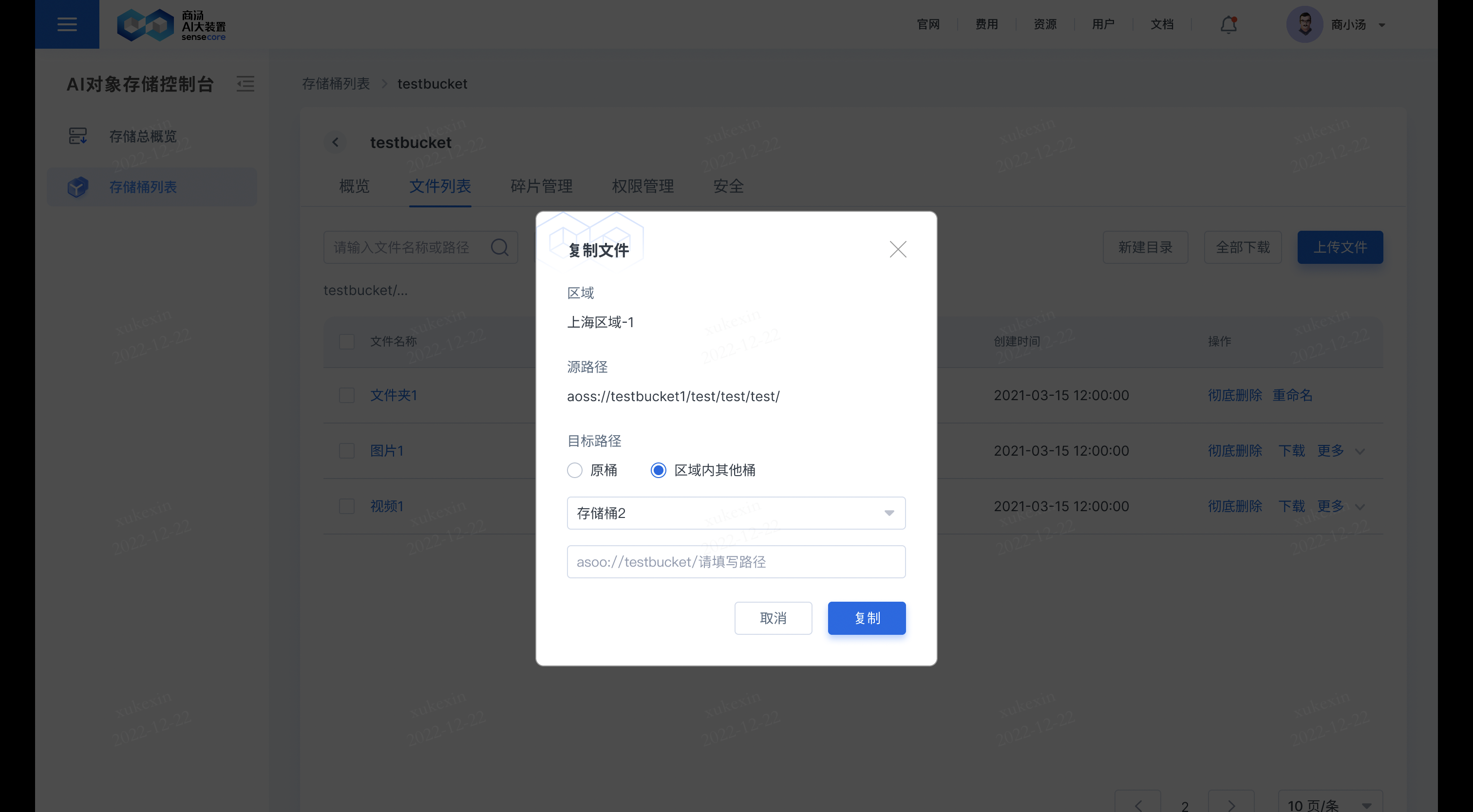
b. Support copying files
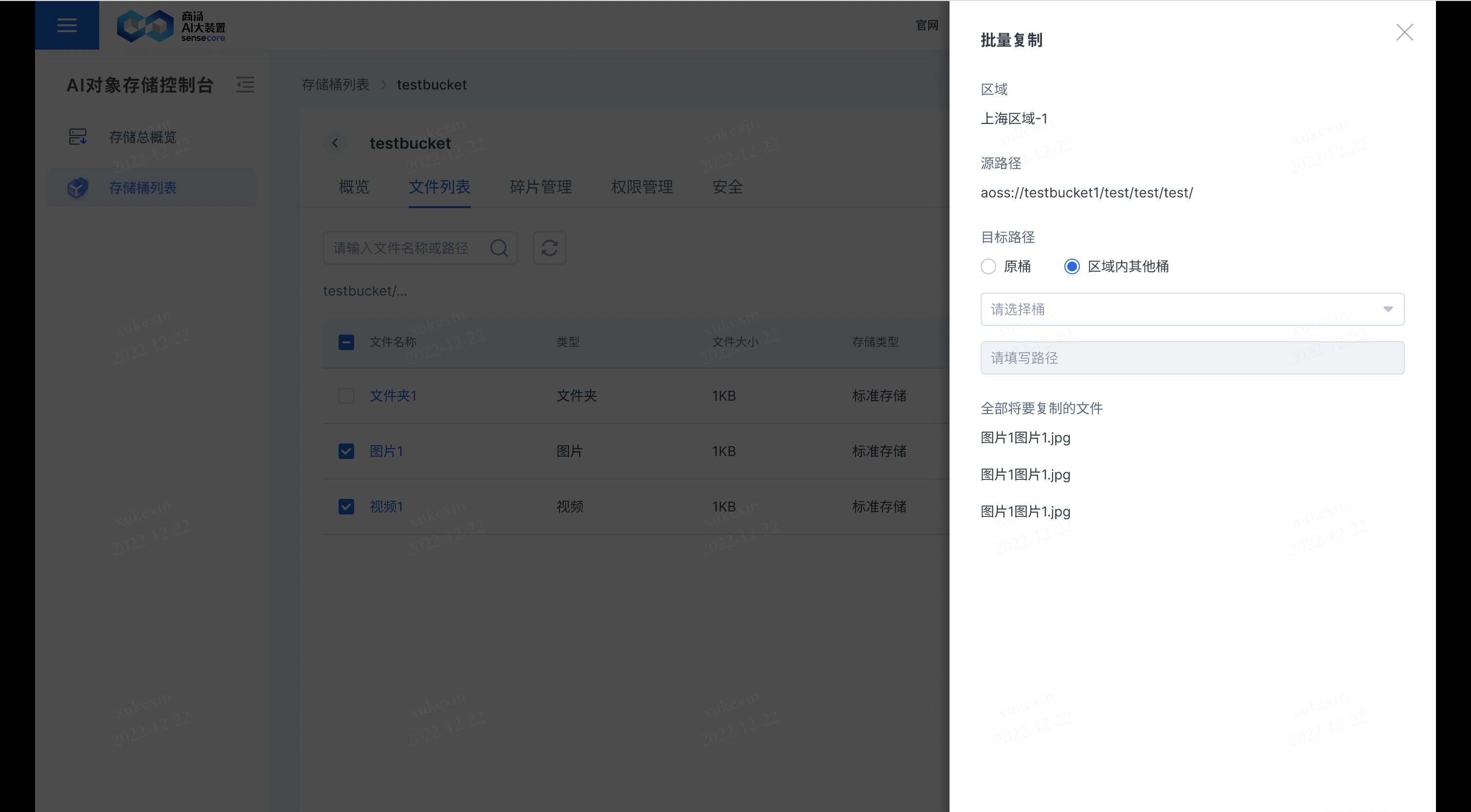
Click [More] after the file to be copied and select [Copy] to copy the file to another or the original bucket; if you copy the file to the original bucket, you need to fill in a new file name; and if you copy the file to another bucket, files with the same name in that bucket will be overwritten.
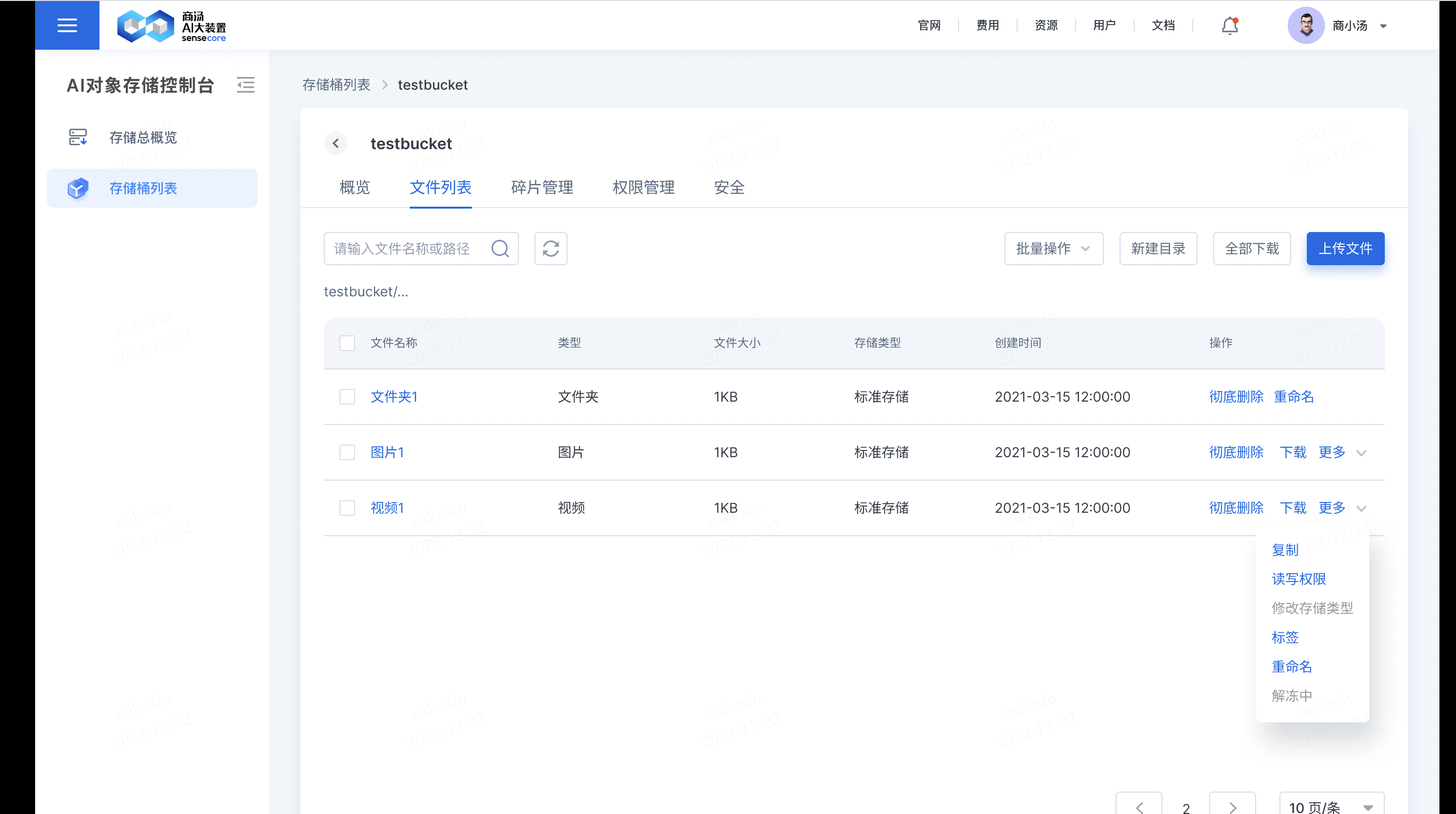
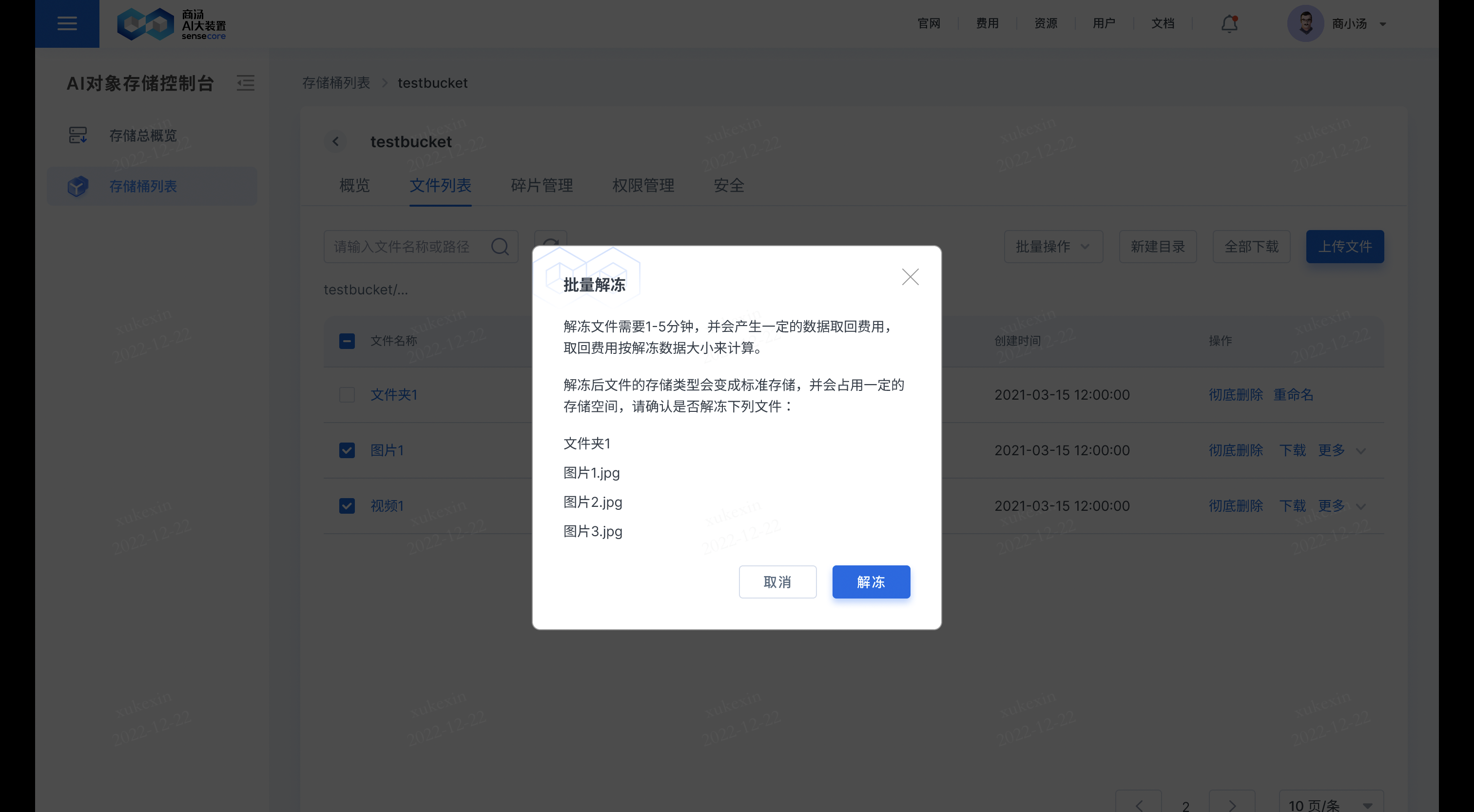
b. Support thawing archive type files, which can be read in a period of time after being thawed
Click [More] after the file to be thawed and select [Thaw] to thaw the file.
This function is only supported for files whose storage type is archive storage;
After clicking Thaw, the original [Thaw] of the corresponding file will change to [Thawing], and you can download the file once it is thawed.
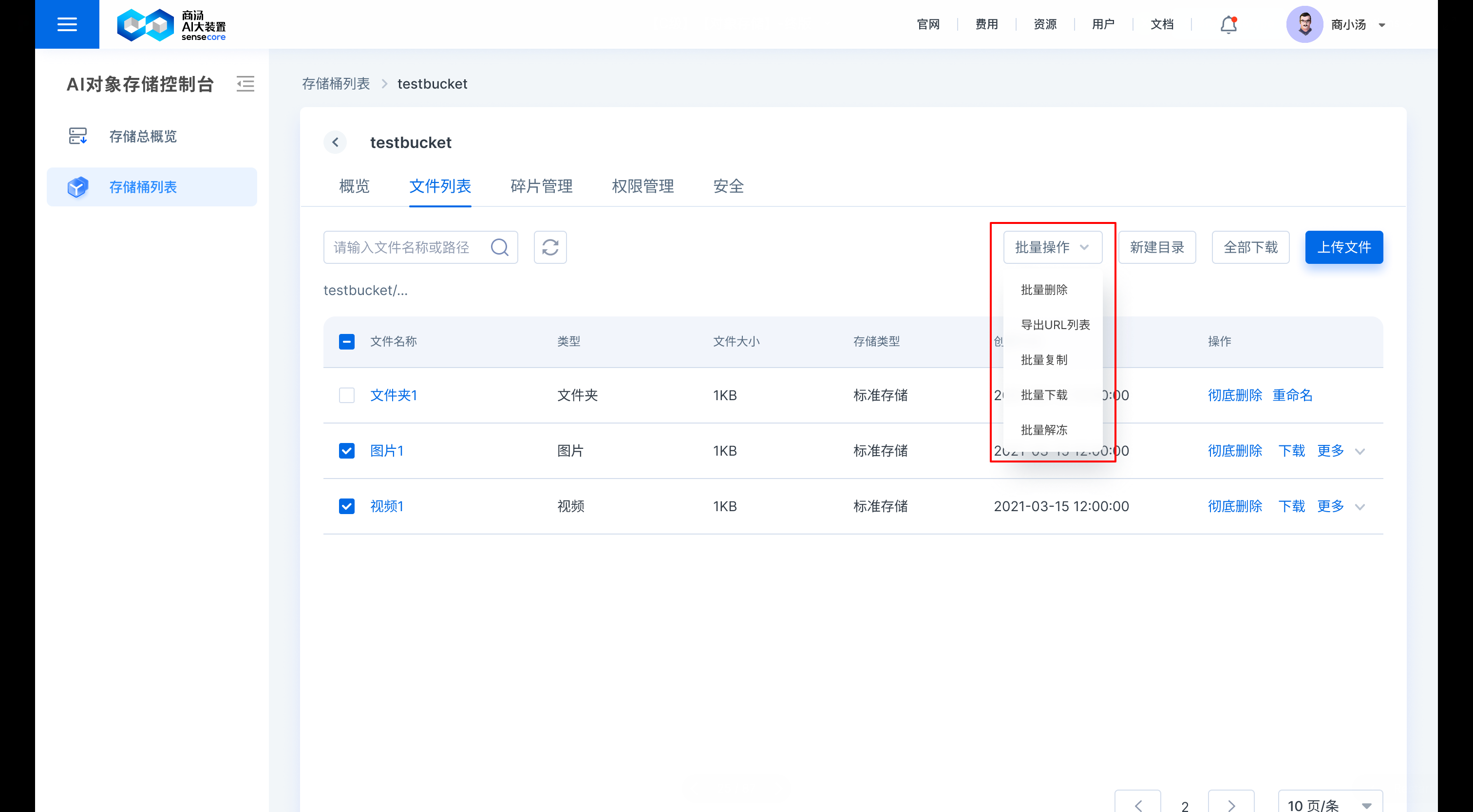
b. Support bulk actions on files in the file list
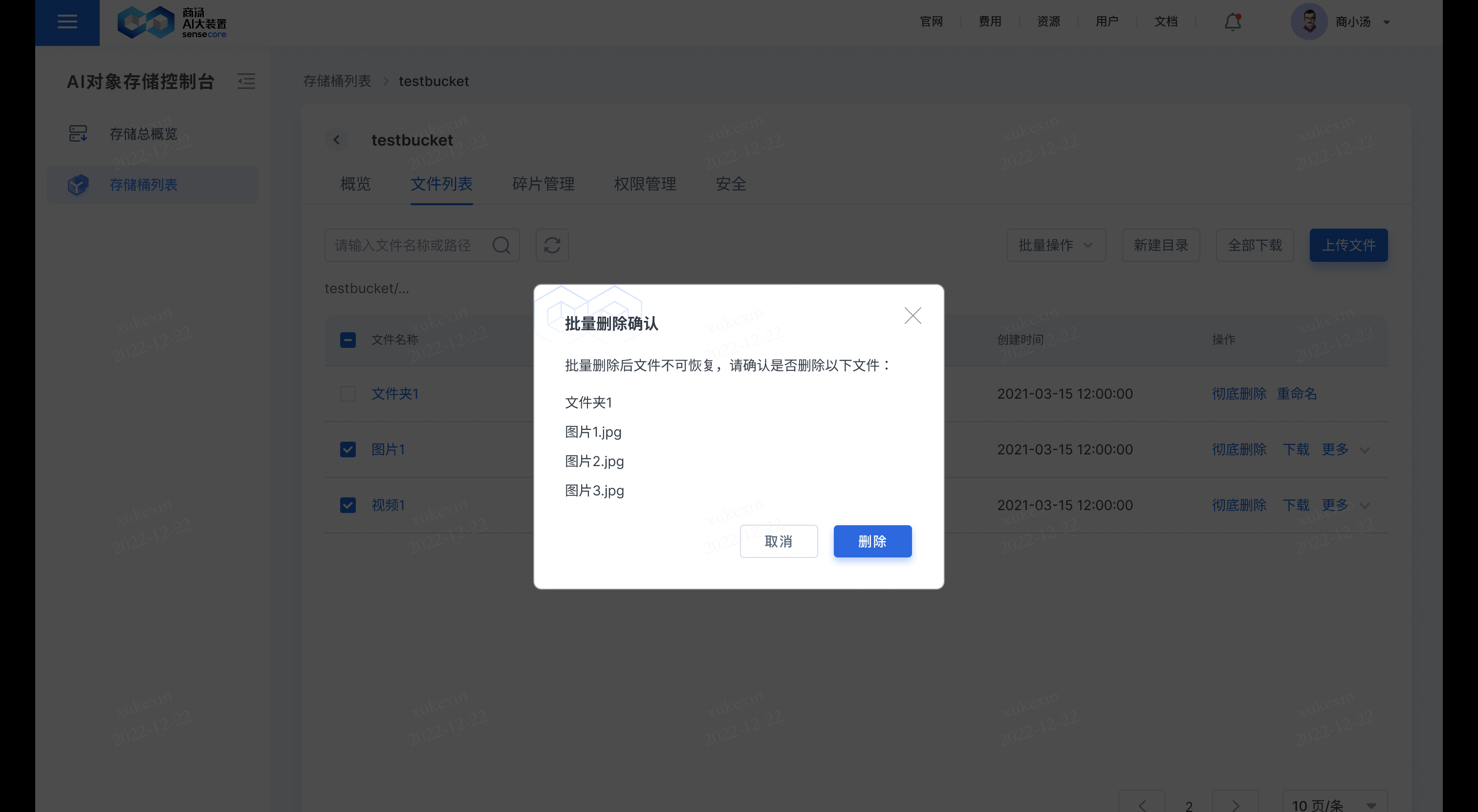
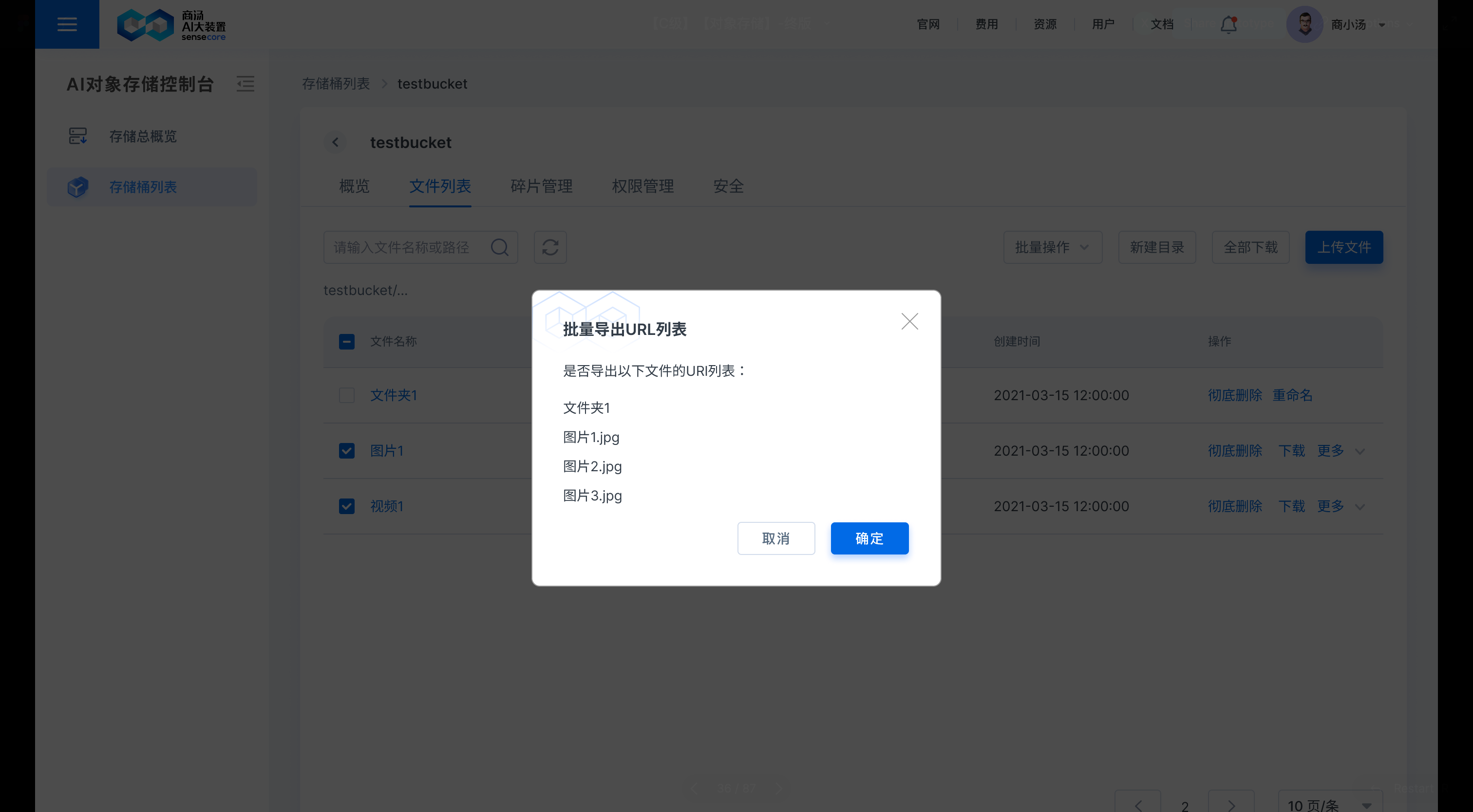
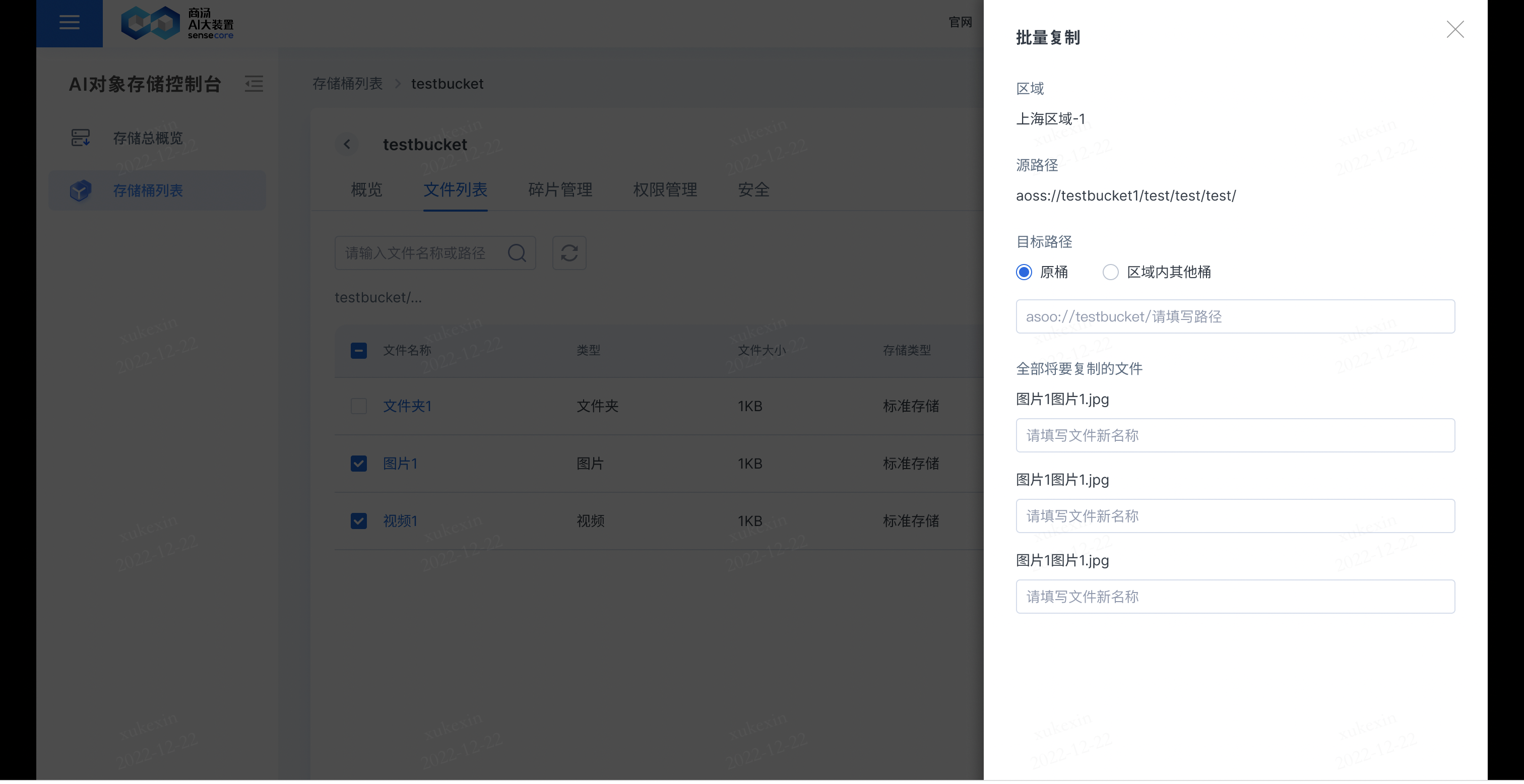
Bulk actions include: bulk deletion, export URL lists, bulk copy, bulk download, and bulk thaw
- Bulk deletion
- Export URL lists
- Bulk copy
- Bulk thaw
b.Support adding plaintext watermarks to images
Support adding the plaintext watermark of the platform
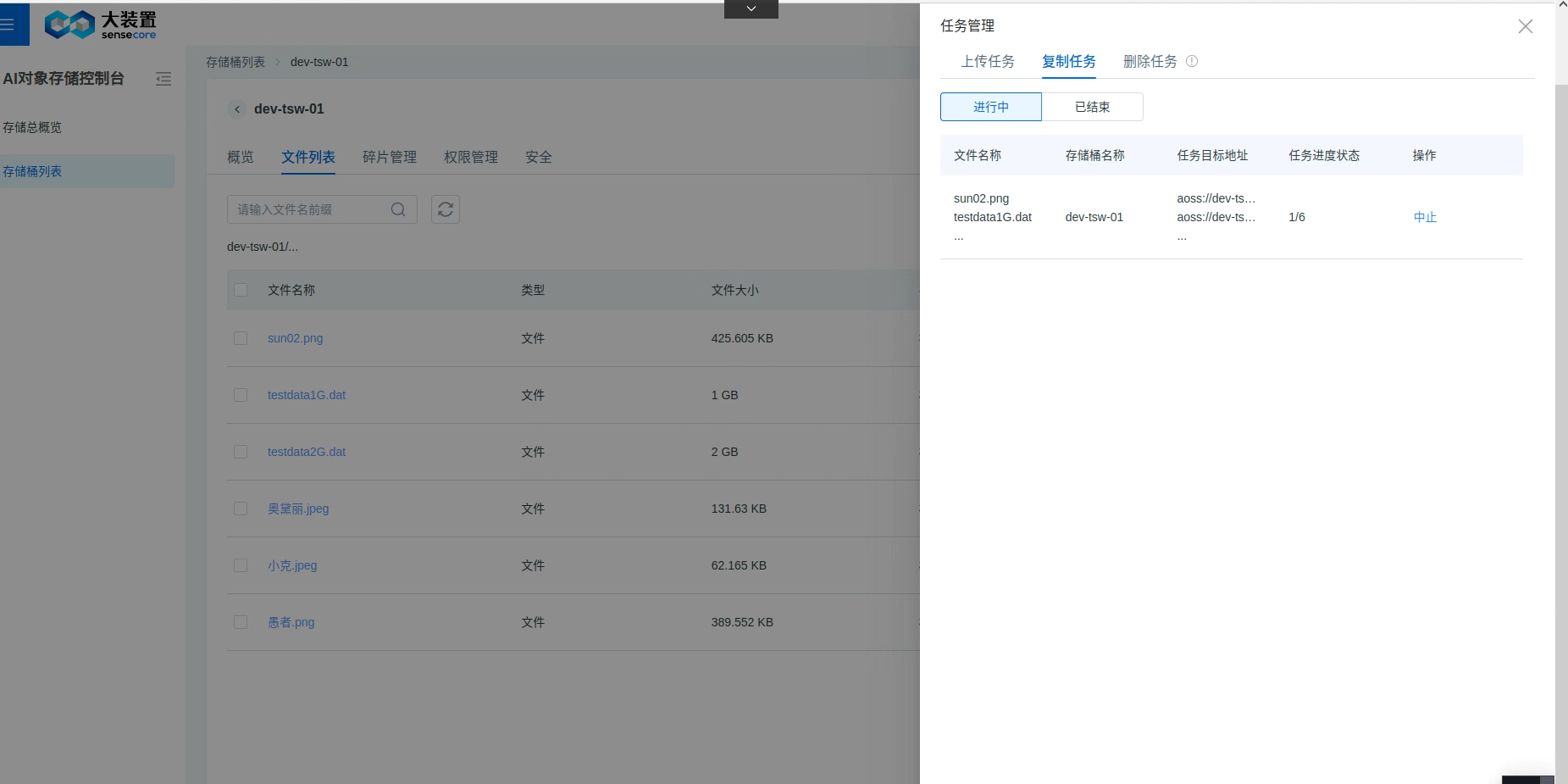
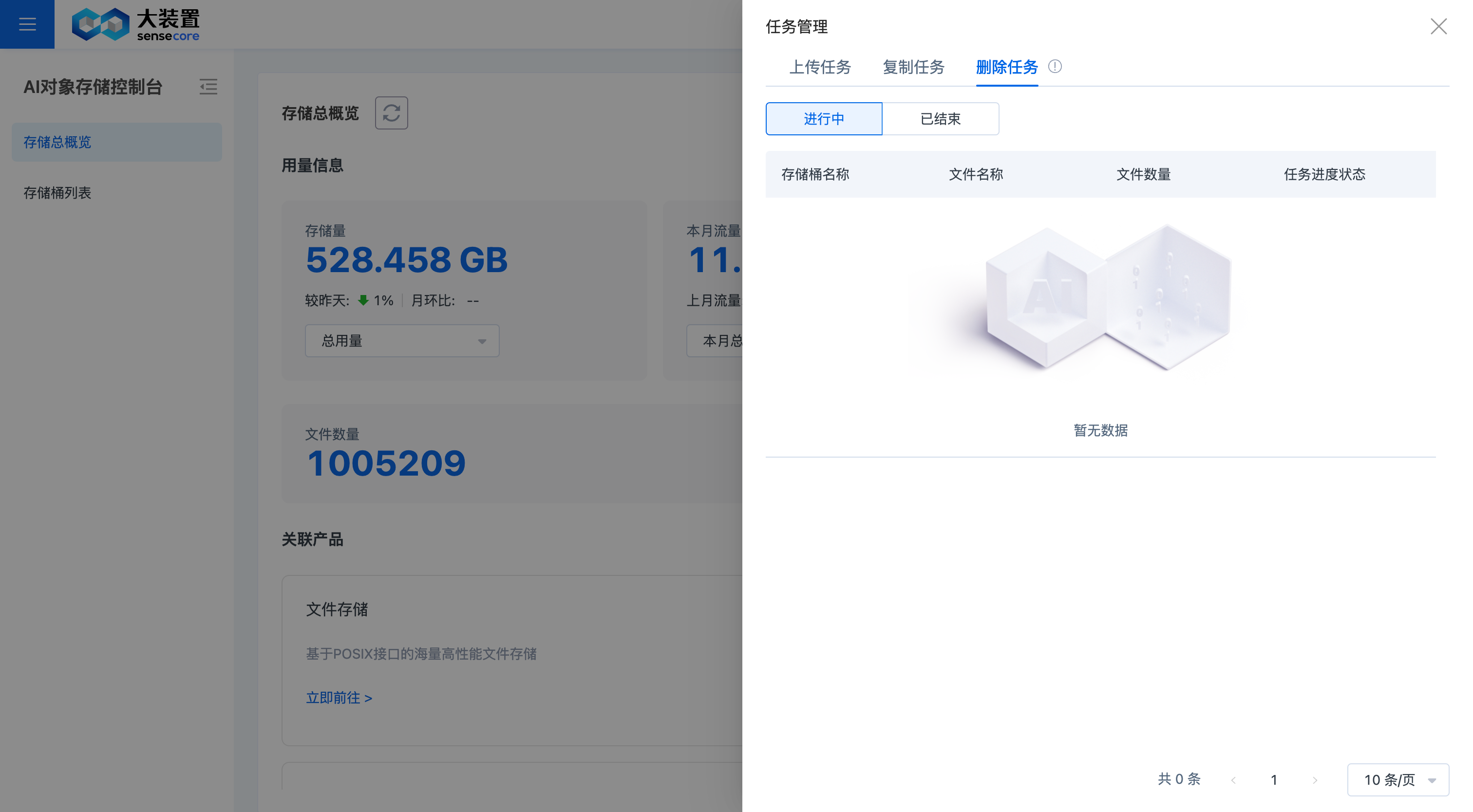
4. Job Management
Job management portal
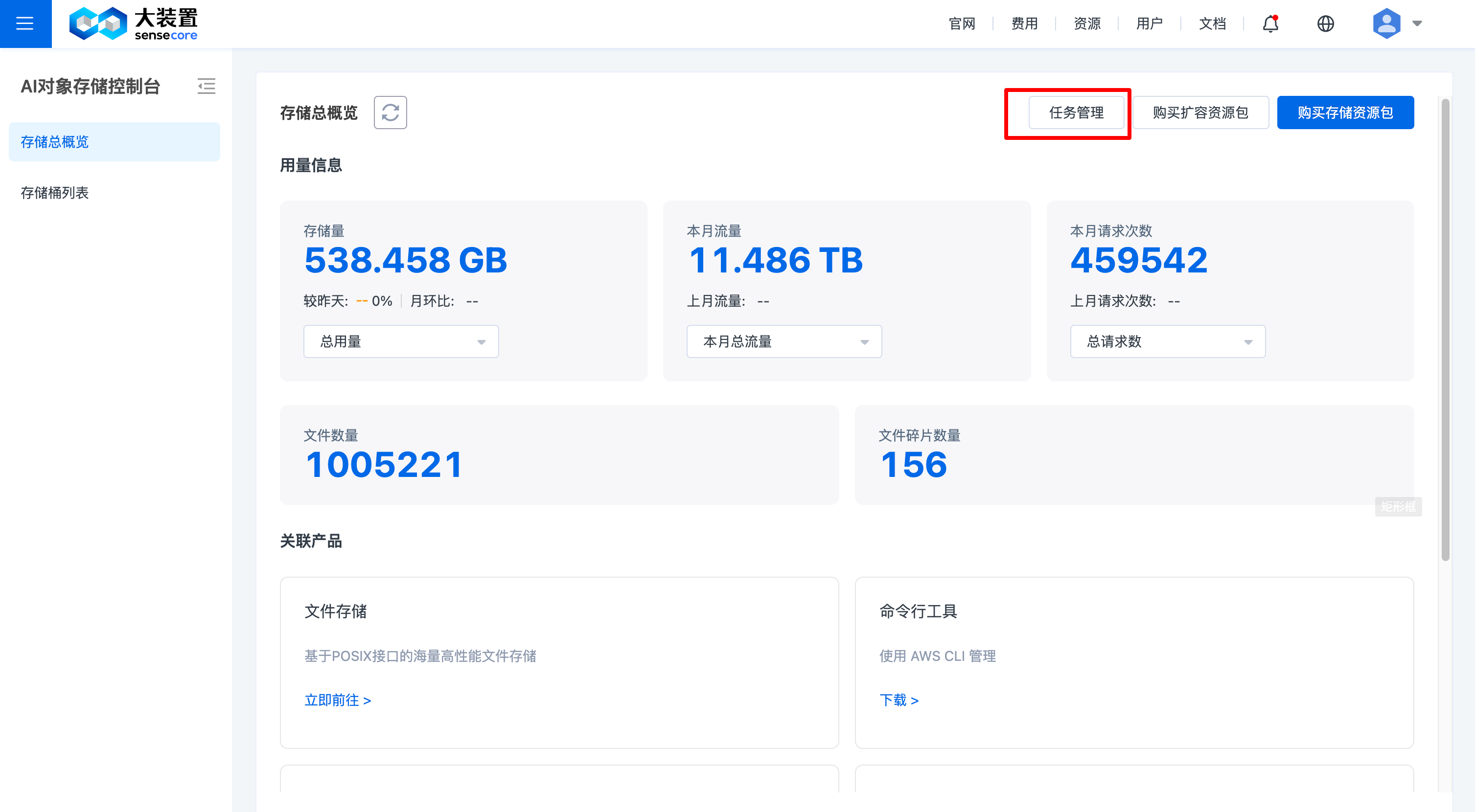
Upload job
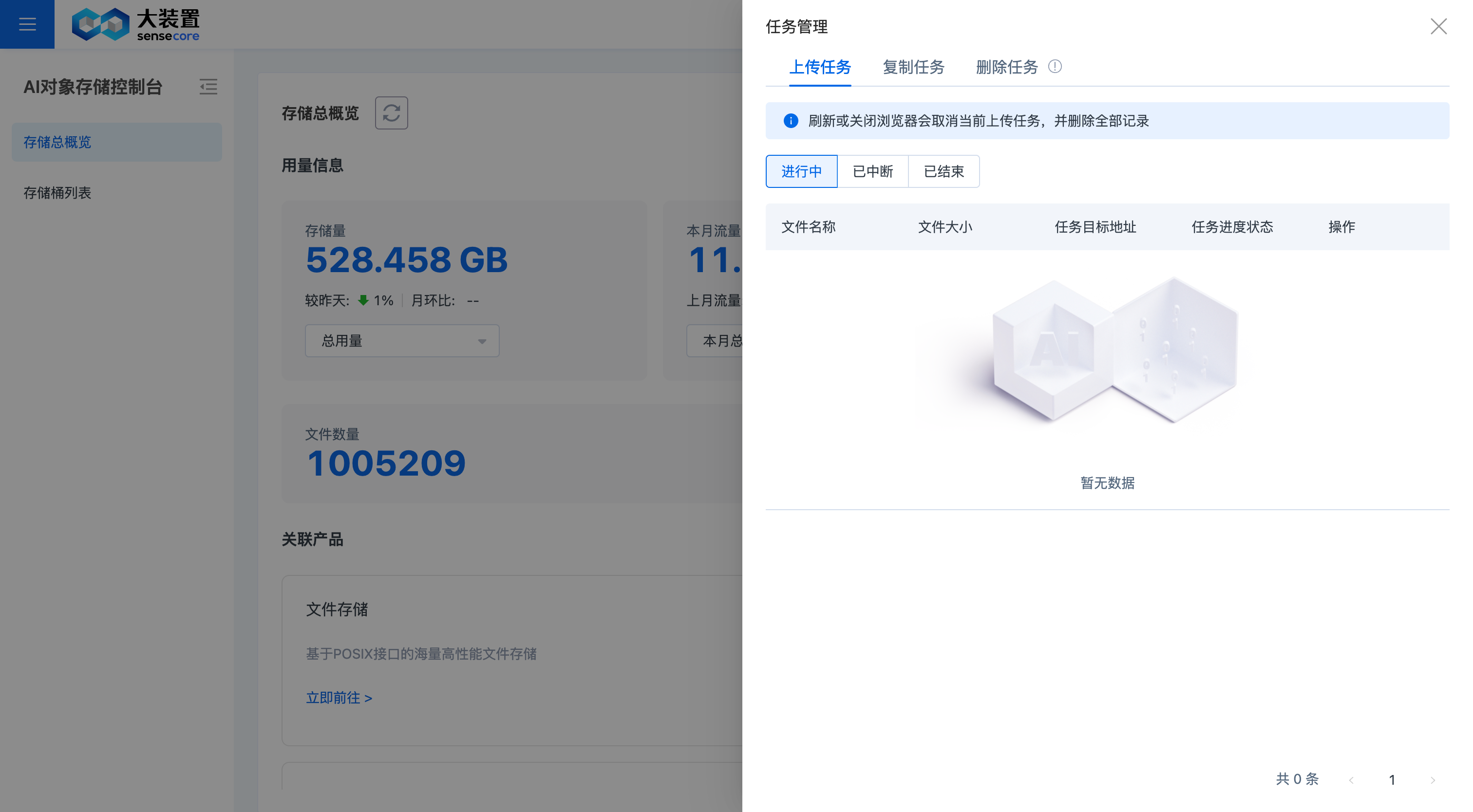
Copy job
Delete job
List of APIs Supported by AOSS
Deliver compatibility with S3 interfaces, provide the RESTful API, support requesting calls through HTTP/HTTPS, and implement actions such bucket creation, bucket modification, bucket deletion, object upload, object download, and object deletion
About Service Actions
| API | Description |
|---|---|
| ListBuckets | Return all storage spaces (buckets) owned by the requester |
About Bucket Actions
| Classification | API | Description |
|---|---|---|
| Basic action | PutBucket | Create bucket |
| DeleteBucket | Delete bucket | |
| GetBucket | List the information of all files (objects) in the bucket | |
| Access control (ACL) | PutBucketAcl | Set bucket access |
| GetBucketAcl | Get bucket access | |
| Lifecycle | PutBucketLifecycle | Set lifecycle rules for objects in the bucket |
| GetBucketLifecycle | Get lifecycle rules for objects in the bucket | |
| DeleteBucketLifecycle | Delete lifecycle rules for objects in the bucket | |
| Authorization policy | PutBucketPolicy | Set bucket policy |
| GetBucketPolicy | Get bucket policy | |
| DeleteBucketPolicy | Delete bucket policy | |
| Tag | PutBucketTags | Add or modify bucket tag |
| GetBucketTags | View bucket tag information | |
| DeleteBucketTags | Delete bucket tag | |
| Encryption | PutBucketEncryption | Set bucket encryption rule |
| GetBucketEncryption | Get bucket encryption rule | |
| DeleteBucketEncryption | Delete bucket encryption rule |
About Object Actions
| Classification | API | Description |
|---|---|---|
| Basic action | PutObject | Upload object |
| GetObject | Get object | |
| DeleteObject | Delete single object | |
| DeleteMultipleObjects | Delete multiple objects | |
| HeadObject | Return meta-information of an object only without file content | |
| Multipart upload | InitiateMultipartUpload | Initialize a multipart upload event |
| UploadPart | Upload data in part based on the specified object name and uploadId | |
| CompleteMultipartUpload | After uploading all data parts, call the CompleteMultipartUpload interface to complete the multipart upload of the entire file | |
| AbortMultipartUpload | Cancel the multipart upload event and delete the corresponding data part | |
| ListMultipartUploads | List all executing multipart upload events, namely multipart upload events that have been initialized but not yet completed or not yet aborted | |
| ListParts | List all successfully uploaded parts to which the specified uploadId belongs | |
| Access control (ACL) | PutObjectACL | Modify object access |
| GetObjectACL | View object access | |
| Tag | PutObjectTagging | Set or update object tag |
| GetObjectTagging | Get object tag information | |
| DeleteObjectTagging | Delete a specified object tag |
Object Storage Domain Name Information
Internet access (endpoint): aoss.cn-sh-01.sensecoreapi-oss.cn
Intranet access (endpoint): aoss-internal.cn-sh-01.sensecoreapi-oss.cn
Bucket domain name information (Internet access): < bucket name>.aoss.cn-sh-01.sensecoreapi-oss.cn
Bucket domain name information (intranet access): < bucket name>.aoss-internal.cn-sh-01.sensecoreapi-oss.cn
Notes:
- For SenseCore's computing products, it is recommended to use the intranet domain name to access object storage.
- Both the Internet and the intranet support http(s) access.
Recommended Tools
Python SDK
It is recommended to use object storage through the SDK in training scenarios. Through the Python SDK, you can easily read and write data from object storage, and quickly complete common operations, such as creating storage space (Bucket), uploading files (Object), and downloading files.
Compatibility:
- Operating system:
- MAC (64 bits)
- Windows (64 bits)
- Linux, including CentOS, Ubuntu, Rocky, and other 64-bit major versions
- Python version:
- Support python versions below python3.9.
- python2 not supported
Download Python SDK
Click here to download Python SDK
Python SDK User’s Manual
Click here to download Python SDK User’s Manual
AWS CLI Tool
Compatibility:
- Operating system:
- MAC (64 bits)
- Windows (64 bits)
- Linux, including CentOS, Ubuntu, Rocky, and other 64-bit major versions, e.g.: centos 7.X ubuntu 16\18\20 rocky8.6
- Python version:
- awscli is compatible with python2 and python3
- awscli 1.16 is incompatible with python3.9
Download AWS CLI Software
Click here to download AWS CLI software
AWS CLI Installation Manual
Click here to download AWS CLI Installation Manual
SenseCore AI DataSync Service (ADS)
It is recommended to use ADS to migrate data, which supports data migration between local system, file storages, and object storages.
Click here to go to the ADS Help Center to obtain the software and User's Manual
FAQ
What is AI Object Storage Service (AOSS)?
AI Object Storage Service (AOSS) is a distributed storage system without tree structure. The users can use AOSS to process and access massive image, audio, and video data conveniently and quickly.
What are [bucket] and [object] respectively?
[Bucket] is a virtual storage space in the object storage system. There is only one layer of directory structure in a bucket. [Object] is the basic storage unit in an object storage bucket, consisting of metadata (data describing object data) and object data.
Is there an upper limit to the capacity of a single bucket? Is there an upper limit to the number of files in a single bucket?
There is no upper limit to both the capacity of a single bucket and the number of files in a single bucket.
Is there an upper limit to the number of buckets?
There is also no upper limit to the number of buckets.
What are differences between standard storage and archive storage?
They come from two different storage types and their applicable scenarios are different. Standard storage applies to business scenarios such as AI data collection, annotation, and big data analysis, whereas archive storage applies to business scenarios where data is stored for a long term.
What are differences between [thawing] and [storage type modification] for archive storage?
After thawing, the archive storage remains unchanged in its type but can be downloaded and accessed; storage type modification directly changes the archive storage into the standard storage, and thus the modified storage occupies the capacity of the standard storage.