Model Evaluation
Introduction
Model evaluation is one of the critical stages in the model development process, involving the assessment and validation of a trained model's performance. The purpose of model evaluation is to determine the model's effectiveness, accuracy, generalization capability, and suitability for specific tasks.
Why Model Evaluation is Needed
- Verify the Effectiveness of Fine-tuning:In theory, a model fine-tuned with specific datasets possesses stronger performance in a particular domain. However, practical evaluation is required to verify this improvement and ensure it meets the specific business requirements.
- Prevent Potential Risks from Fine-tuning:During the learning process, a fine-tuned model may experience a degradation of general capabilities or other risks. Evaluation can help identify these potential risks early.
User Guide
一、Preparations Before Model Evaluation
Prepare Evaluation Data:
- Prepare the corresponding evaluation dataset before model evaluation. The data is typically in a dialogue format, and currently, the OpenAI format is supporte
Have a Trained Model Ready for Evaluation
- For model fine-tuning, please refer to Model Fine-tuning
二、Evaluation Task Management
Create a Task:
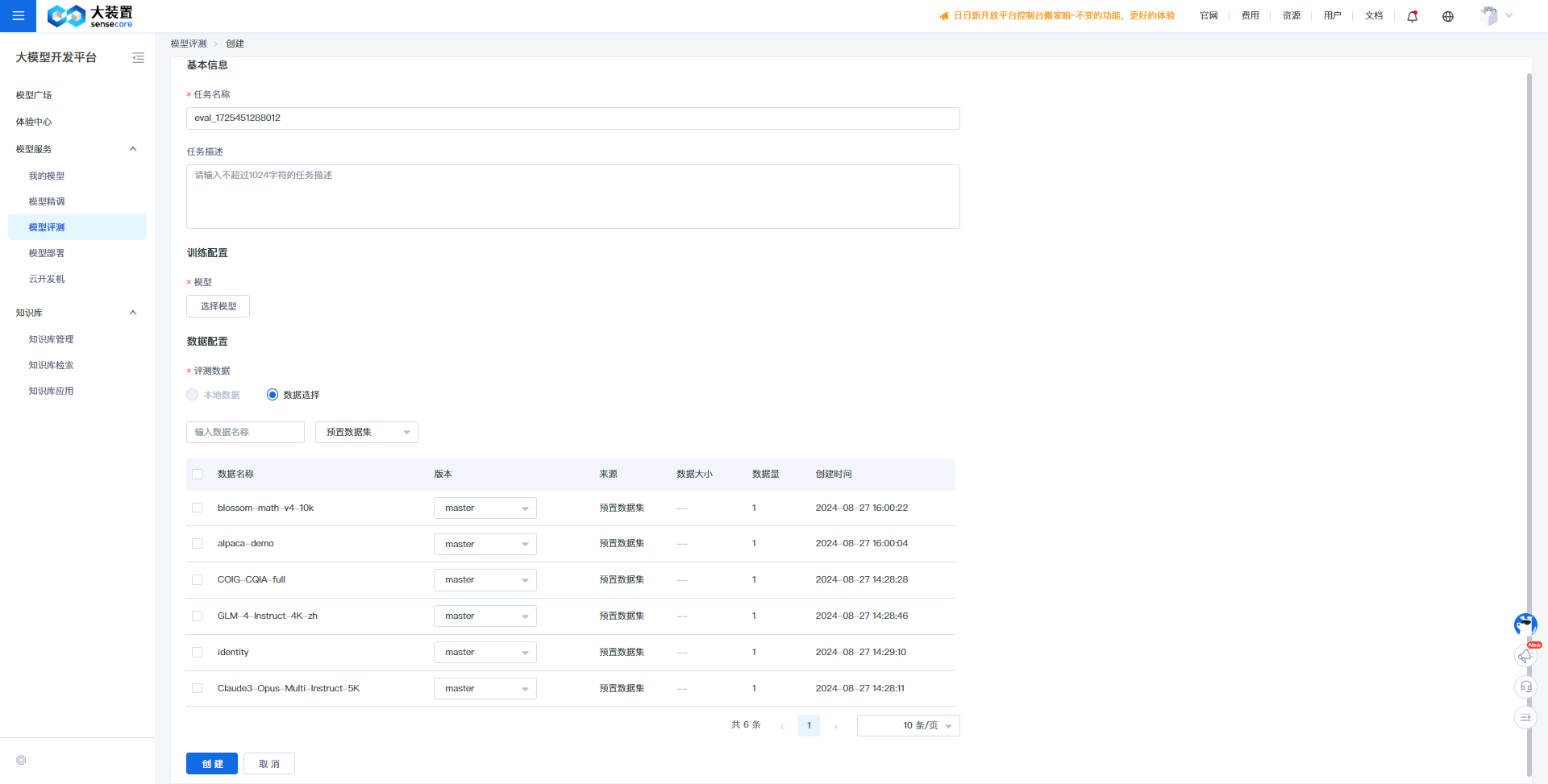
- Enter the "ModelStudio" module and click "Model Evaluation" to access the model evaluation task list.
- Click "Create Evaluation".
- Fill in the task name and description, select the model to be evaluated, and choose/upload the evaluation data. Confirm to create the model evaluation task.
- Currently, only OpenAI format data is supported, with file types of json and jsonl. Specific examples are as follows:
[
  {
    "messages": [
      {
        "role": "system",
        "content": "You are an all-knowing, omnipotent AI assistant"
      },
      {
        "role": "user",
        "content": "Please introduce the Renaissance"
      },
      {
        "role": "assistant",
        "content": "The Renaissance was a revival movement concerning art, culture, and academia."
      }
    ]
  }
]
{"messages": [{"role": "system", "content": "You are a helpful assistant"}, {"role": "user", "content": "Please introduce the Renaissance?"}, {"role": "assistant", "content": "The Renaissance was a revival movement concerning art, culture, and academia."},{"role": "user", "content": "How about sculpture?"}, {"role": "assistant", "content": "Sculpture during the Renaissance was also very famous, with several world-class masters emerging from this period"}]}
{"messages": [{"role": "system", "content": "You are a helpful assistant"}, {"role": "user", "content": "Please introduce the Renaissance?"}, {"role": "assistant", "content": "The Renaissance was a revival movement concerning art, culture, and academia."},{"role": "user", "content": "How about sculpture?"}, {"role": "assistant", "content": "Sculpture during the Renaissance was also very famous, with several world-class masters emerging from this period"}]}
Evaluation Metrics:
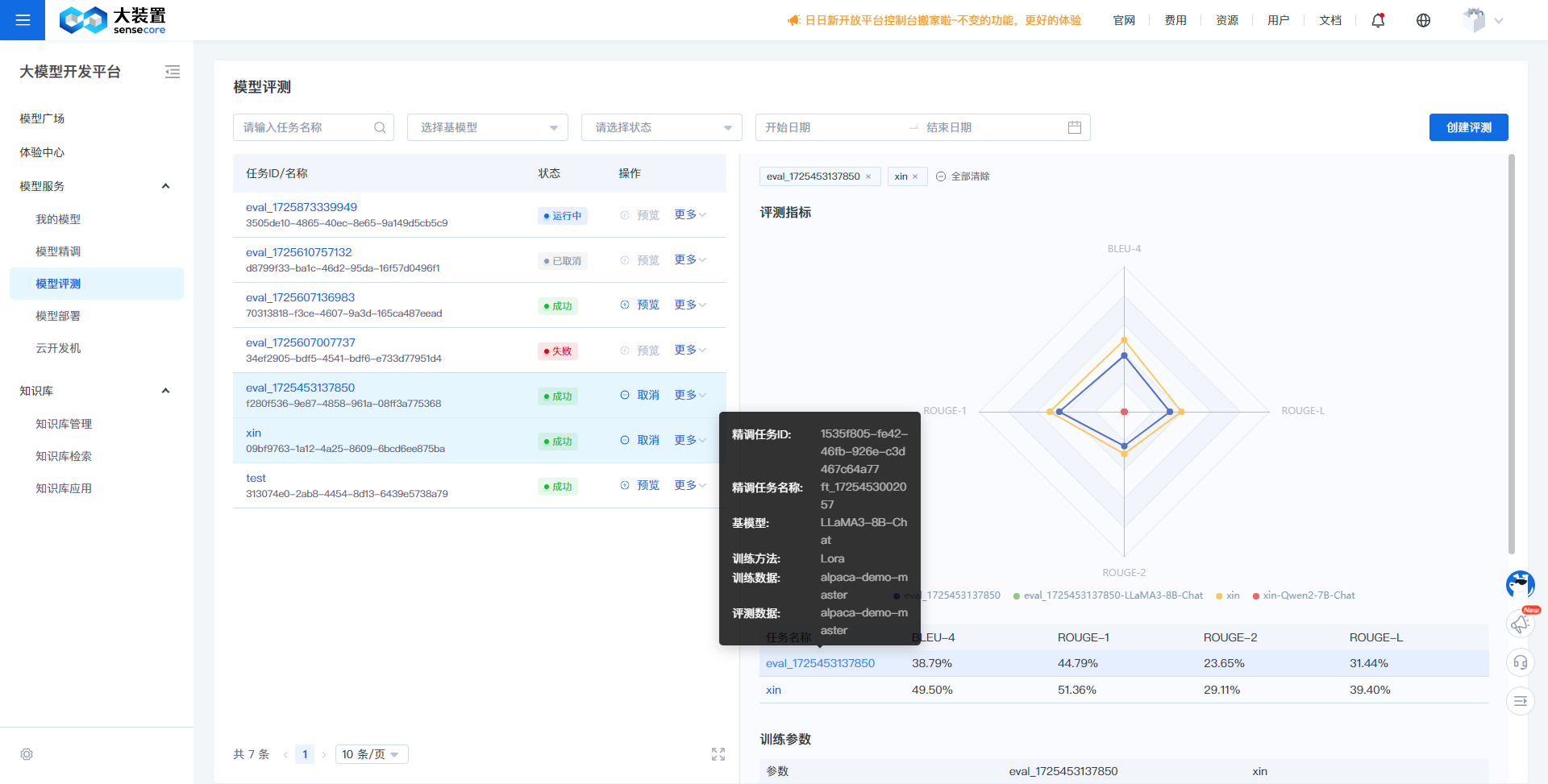
- Evaluation metrics display the model's performance on the evaluation dataset, mainly divided into the following:
Metric Name Metric Description BLEU-4 (%) A metric used to evaluate the difference between the sentence generated by the model and the actual sentence, calculated as a weighted average of unigram, bigram, trigram, and 4-grams. ROUGE-1 (%) The recall rate calculated after splitting the model's generated results and the standard results into unigrams (single words). ROUGE-2 (%) The recall rate calculated after splitting the model's generated results and the standard results into bigrams (consecutive paired words). ROUGE-L (%) The recall rate calculated after splitting the model's generated results and the standard results into LCS (Longest Common Subsequence), which is the longest subsequence that appears in the same order in both sequences.
Task Details:
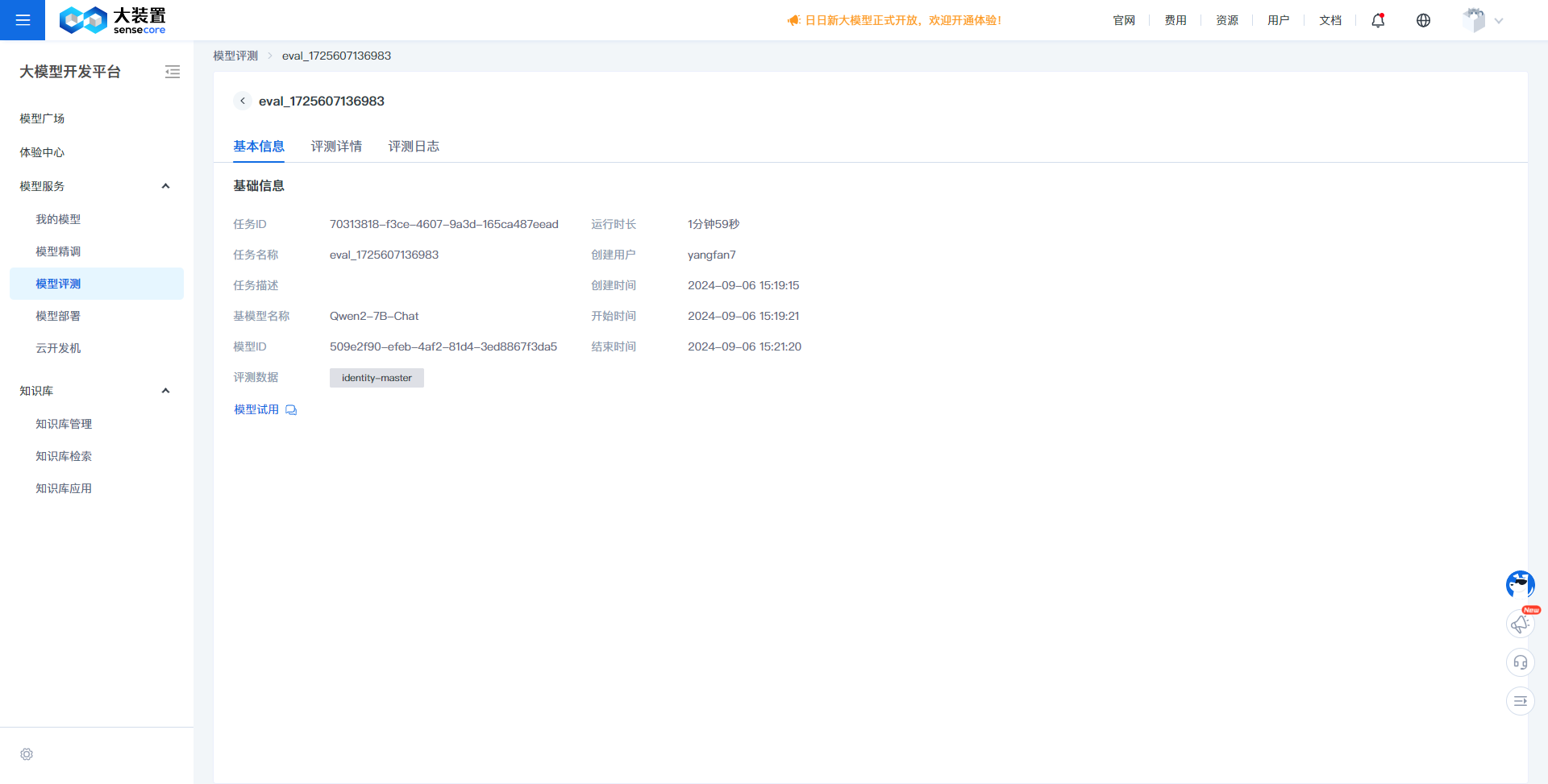
- On the model evaluation task list page, click a task name to access the task details.
- Task details primarily display information about the evaluation task, including the task name, associated fine-tuning task name, base model name, and evaluation data.
Evaluation Details:
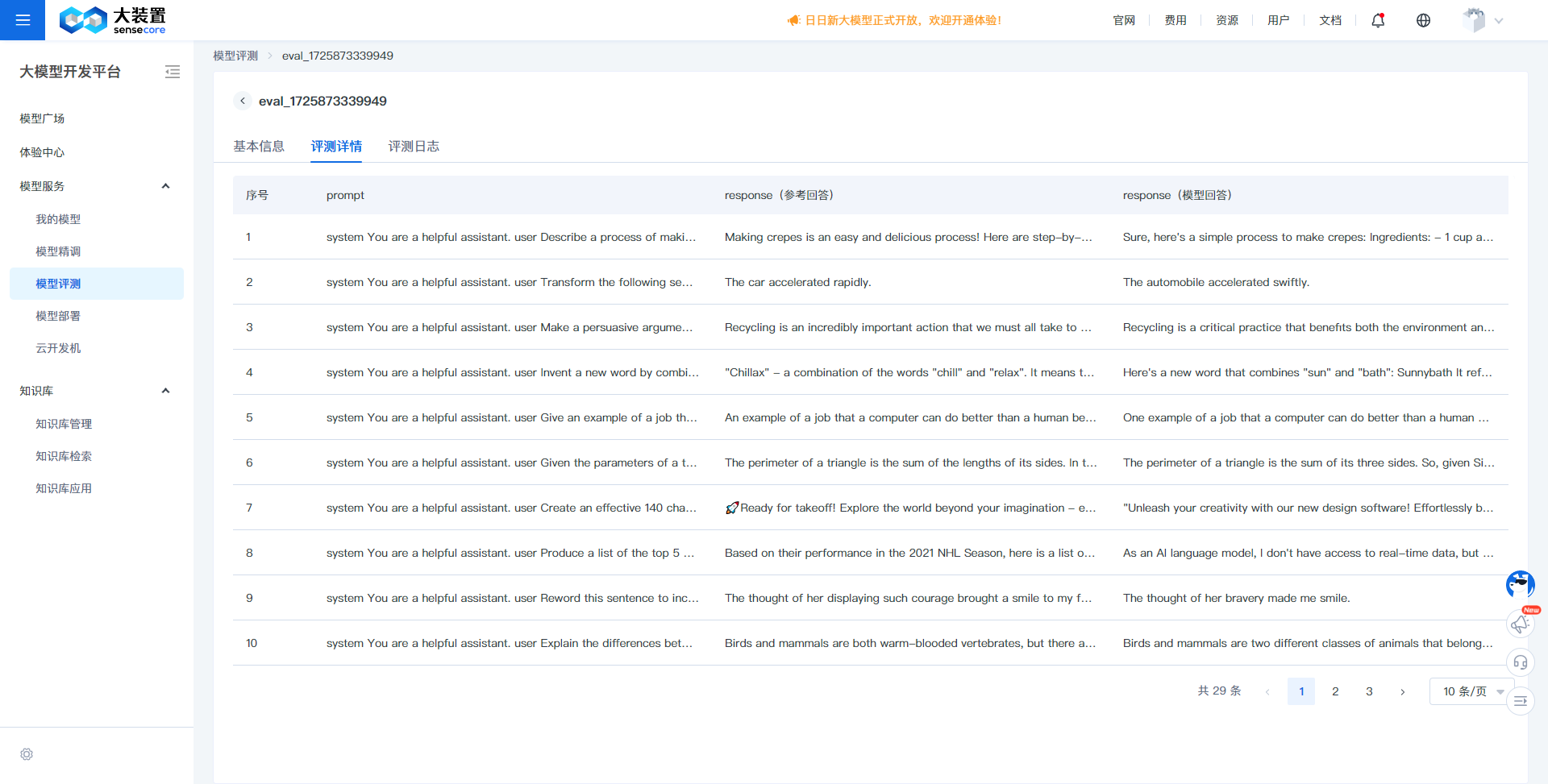
- Evaluation details show a comparison between the model's output responses and the original evaluation dataset during the evaluation process, divided into prompt, response (reference answer), and response (model answer). By comparing the content of response (reference answer) and response (model answer), the differences in model effectiveness can be observed.
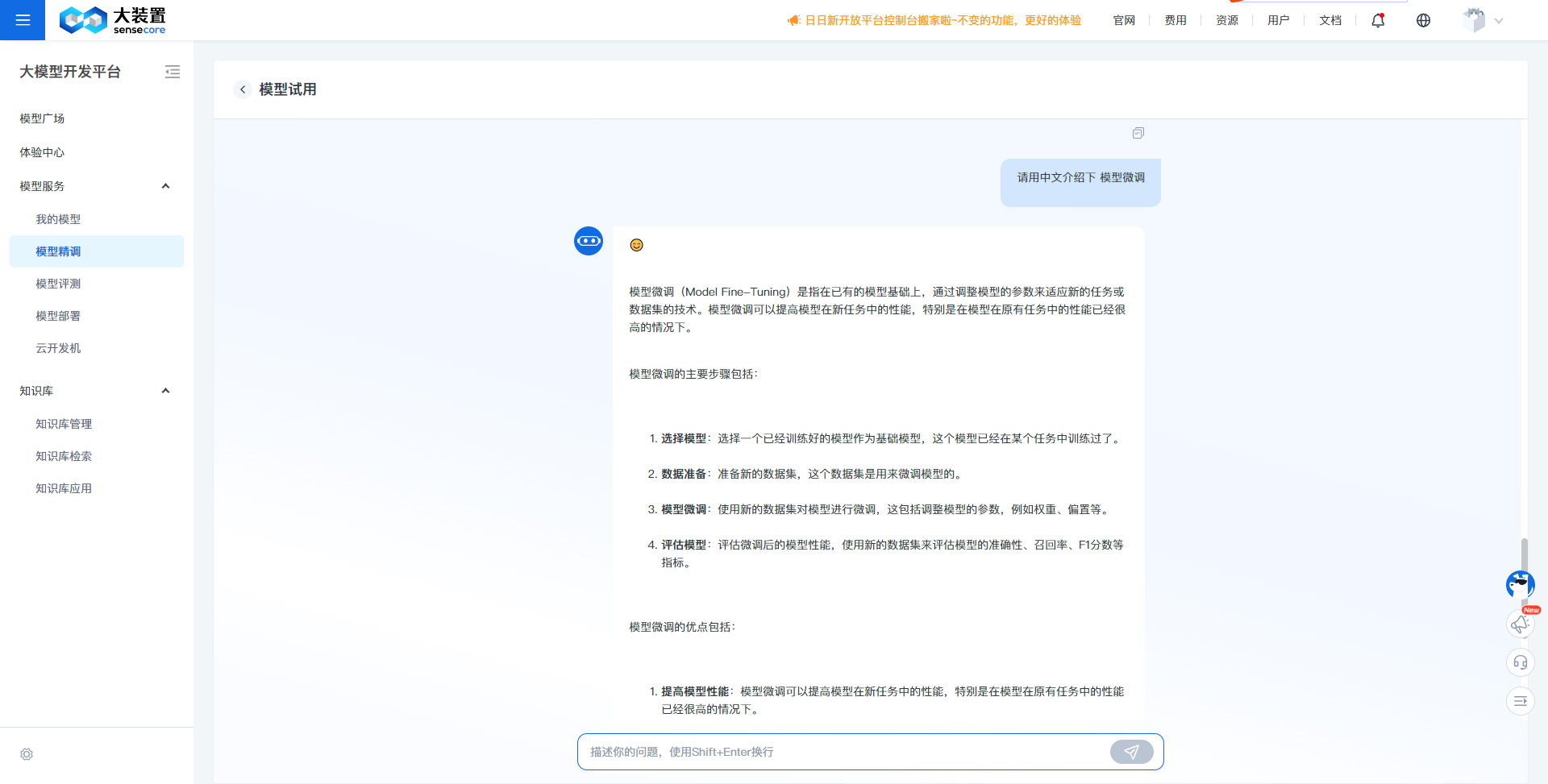
Model Trial:
- Through the model trial, you can quickly converse with the fine-tuned model to experience its effectiveness and assist in judging whether the model meets the requirements of a specific scenario.
Evaluation Logs:
- Evaluation logs display detailed information during the evaluation process, which can be used to locate and track anomalies during the evaluation.